Expansion decks
The Crazyflie® 2.x is equipped with a flexible expansion port that enables new hardware to be connected. The port is available from both sides of the Crazyflie to keep as many options open as possible. The port is used by expansion decks to provide new functionality to the Crazyflie 2.x and since the port is available from both sides it is possible to attach up to three decks at the same time.
Attaching a deck
The first step toward using your expansion deck is to attach it to your Crazyflie with the correct pins in the correct orientation.
Orientation
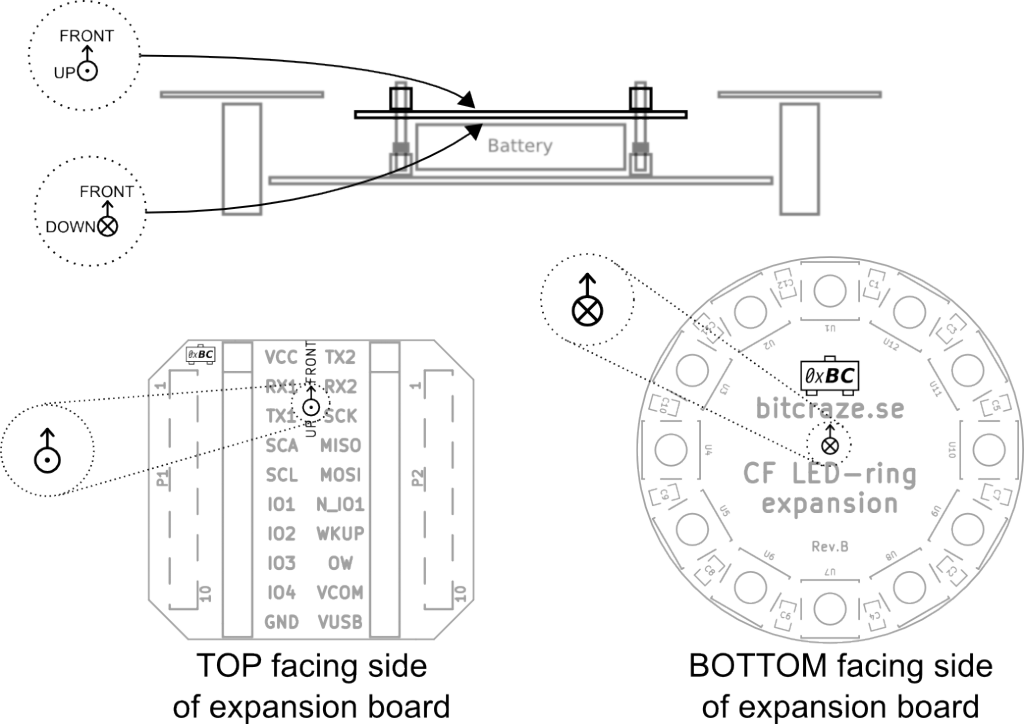
BE AWARE that it is very important to mount an expansion deck with the CORRECT ORIENTATION, or the deck might be damaged. Always make sure the Crazyflie 2.x is powered off before mounting or unmounting a deck.
Look for the small symbols that show which side is up and down, the dot is up and the cross is down. The arrow indicates the forward direction and should point towards the front.
Decks that are mounted on top of the Crazyflie 2.x replace the battery holder.
Pins
The expansion decks are attached with pins. Learn more about the different kinds of pins and which type suits your set-up in the overview of Expansion Decks of the Crazyflie 2.x.
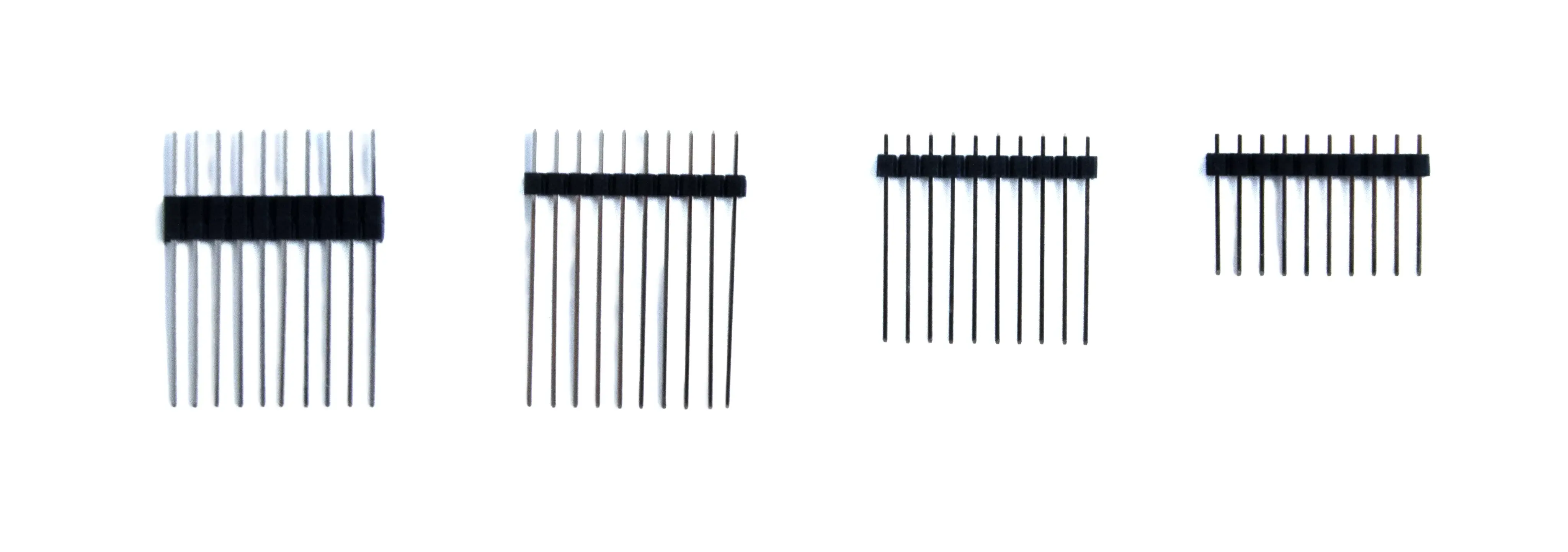
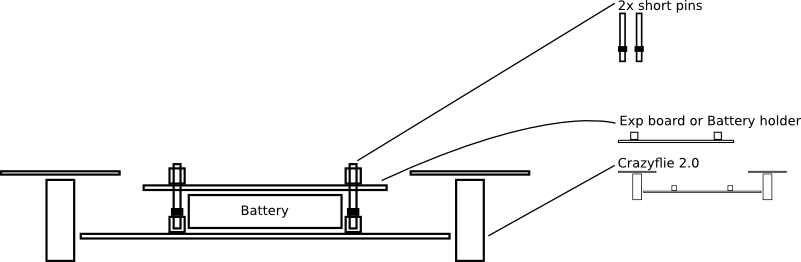
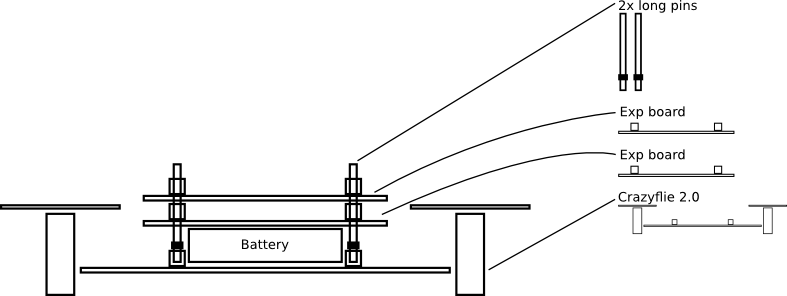
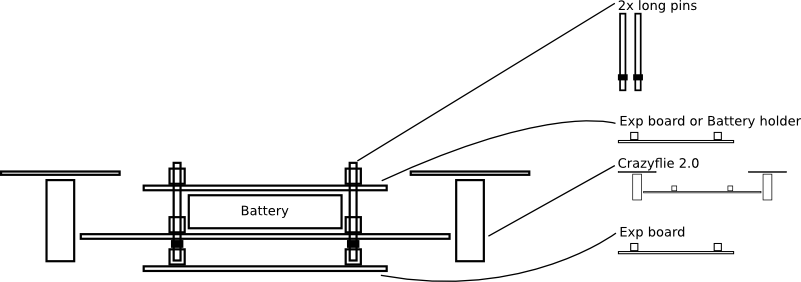
The pins can be inserted from either the top or the bottom, depending on configuration. It is most often recommended to insert the pins from the bottom since this gives more room to attach decks on the bottom and also avoids landing deck-first if a crash happens. One case where it is recommended to insert the pins from above is when using the short pins and the Battery Holder deck.
Below are three schematics showing three different use cases of expansion boards and what male expansion pins to use with them.
Using a deck
When the deck has been attached correctly, you are ready to get started!
Check out the getting started guides for the decks: