Author: Arnaud

For a long time, communication inside the Crazyflie was fairly simple. The main STM32 microcontroller handled flight control, sensors, motors and most of the system logic. A second microcontroller handled the radio and power management. The two processors communicated using Syslink, a small packet protocol over UART. Syslink was designed for one fixed connection between two known processors. Both sides were developed together, the number of packet types was limited, and there was little need for discovery or elaborate flow control.

This worked quite well for the system it was designed for.
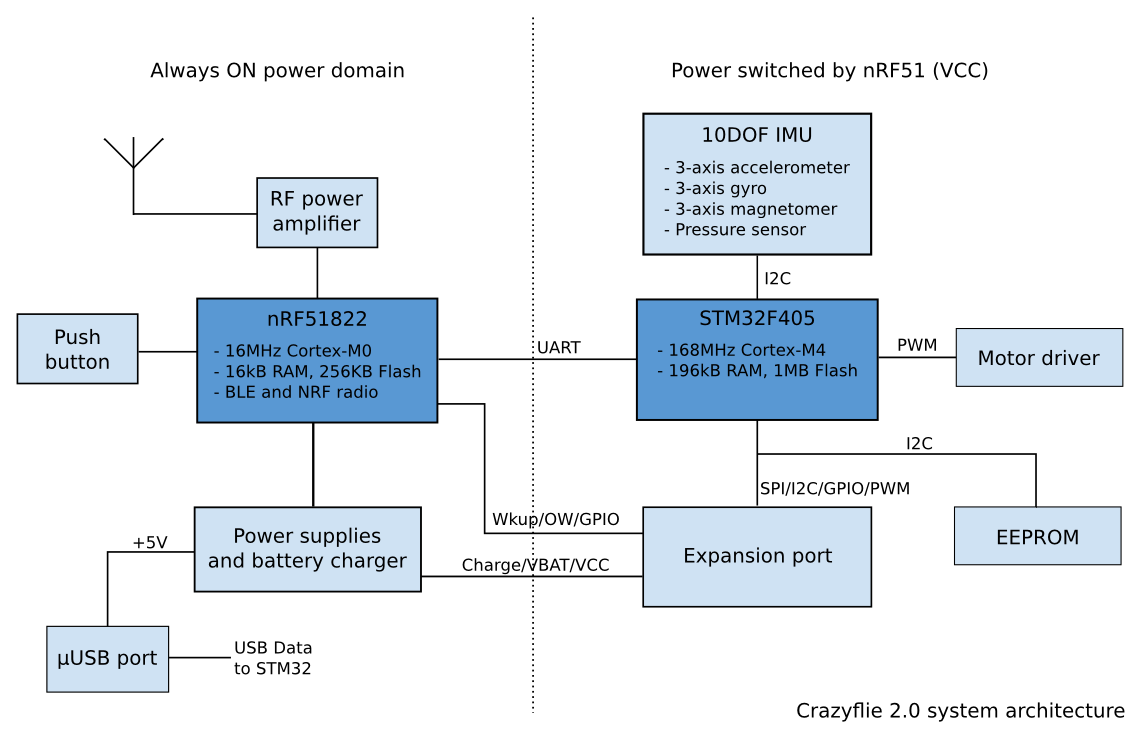
Crazyflie 2.0 system architecture

Over time, however, the Crazyflie platform has changed. More and more expansion decks contain their own processors, firmware and internal state. Some decks are no longer simply collections of sensors connected over I2C or SPI. They are small embedded systems of their own. This has made communication between processors a recurring part of the platform rather than a special case.

Most of what we are talking about in this blog post is very much work in progress: this is a work that we are doing as part of yet another deck that will have an microcontroller.

From Syslink to CPX

Syslink was created for one link between two processors. Later, when developing the AI deck, we encountered a different problem. The system contained several processors and several communication links. Packets could travel between the Crazyflie STM32, the ESP32, the GAP8 and a computer connected either through Wi-Fi or through the normal Crazyradio path. This led to CPX, the Crazyflie Packet eXchange protocol. One of its main roles is routing packets between processors and transports.

CPX solved an important practical problem, and routing is still useful. At the same time, our experience with it has shown that not every processor link needs the whole routed communication model. For a connection between two known processors, requiring routing and application functions to be part of the same protocol can make the stack heavier than necessary.

The current work is therefore not intended to replace CPX. Instead, we are trying to separate the different responsibilities more clearly. CPX could eventually be one of the services transported over a lower-level peer-to-peer link when routing is required.

Yet another processor on a deck

We are currently working on a new deck with a processor that needs to communicate with the Crazyflie. The fastest solution would have been to create another deck-specific UART protocol. The endpoints are known, the initial set of commands is fairly small, and such a protocol would probably have been finished much earlier. That would have been a completely reasonable engineering choice but it would also have added one more custom processor protocol to the platform.

We expect processor-based decks to become more common, so we decided to use the this new deck as an opportunity to work on something more reusable. The new deck does not strictly require all the infrastructure we are building. Rather, it provides a real product in which we can develop and test a communication model that may also be useful elsewhere.

Building the stack in layers

One lesson from Syslink and CPX is that we should avoid putting every communication concern into one protocol. The current new design is split into layers:

physical transport

transport binding

peer-to-peer Link

services such as Control, CPX or Console

The physical transport may be UART, SPI, I2C or another suitable connection.

A transport binding handles the details required to move frames over that transport, such as framing, integrity checks and resynchronization.

Above this is the Link between two embedded peers. It is responsible for establishing a communication session, negotiating compatible parameters, discovering available services and managing bounded buffers.

The Link does not need to understand Wi-Fi configuration, console text or routed CPX packets. These belong to services above it. This separation is important. It allows a simple product to expose only the services it needs, while a more complex system can add routing, structured control, console traffic or other services without changing the basic Link.

The initial implementation uses UART for our new deck, but the communication model itself is not intended to be UART-specific.

A first useful example: Console

Since starting this work, we have implemented a first Console service on top of the new Link.

This also led to a more generic console interface in the Crazyflie firmware. Instead of assuming that all console output comes from the main STM32, the Crazyflie can now expose several console sources. With the current prototype, a client can receive the Crazyflie console, the new deck console, or both. The available consoles can be queried, and by default the normal Crazyflie console continues to behave as before. This is a fairly small feature, but it is a good example of what the architecture is intended to make possible.

Today, the nRF51 radio microcontroller is largely opaque from a debugging point of view. This was quite intentional in the original Crazyflie architecture: the STM32 was the processor we expected users to develop on, while the nRF51 mainly provided supporting functions such as radio and power management. That boundary has become less clear over time. The radio firmware has grown more capable, and both we and some users increasingly work on it directly. If the nRF51 eventually uses the same Link model, it could expose the same Console service. The existing client-side console infrastructure could then show its output without requiring another custom protocol and another special debugging path.

This is the kind of reuse we are looking for.

Control and reusable capabilities

Another service we are exploring is Control.

Control provides a structured way to get values, set values and call commands. It is somewhat similar to an RPC interface, but it also exposes organized sets of readable and writable state. Within Control, related functionality can be described using versioned contracts.

Wi-Fi provisioning is a useful example: adding Wi-Fi support to the AI deck was not only a matter of implementing a command in the deck firmware. The Crazyflie needed to forward the operation, the client library needed an API, and a user-facing tool was required to configure the connection. A future Wi-Fi-enabled deck would otherwise need another product-specific implementation of much of the same path.

With a common Wi-Fi contract, a deck could advertise through its Control service that it supports Wi-Fi provisioning. Generic software could discover this capability and use an existing interface for it, without needing to know which deck or processor implements it. More importantly this means that we can tie Wifi credential to a Crazyflie and not to the deck: for our current work we have decided to store the wifi credential in the Crazyflie. This means that, once setup, the Crazyflie will connect the same wifi network independent of which wifi-capable deck is attached to it. It makes the system much easier to work with. We may update the AI deck to follow the same model in the future.

The same idea can apply to much simpler features. Several decks contain visible RGB LEDs. Instead of every deck exposing a different way of setting a color, they could implement one common LED-control contract and use the same client API.

This is the higher-level counterpart to reusing the Link. The Link avoids rebuilding processor-to-processor communication, while services and contracts make it possible to reuse functionality above it.

Where this could lead

The protocol developed for our new deck is not yet a complete Syslink2 specification for the whole Crazyflie ecosystem. The current work mainly demonstrates the point-to-point Link architecture: sessions, service discovery, versioning and flow control based on actual available buffers. Console already provides a concrete service on top of it, while Control and its contracts are still more exploratory. There are also larger questions we are deliberately leaving outside the first Link. Routing remains a separate concern, and CPX may continue to provide it where it is needed.

More generally, discoverable services could make parts of the Crazyflie platform easier to extend. Today, replacing or experimenting with a subsystem often requires changes across several parts of the stack simply because both ends need to know exactly what hardware is present. If processors can instead advertise standard services and capabilities, some of those dependencies could become looser. For example, a future radio processor could expose a radio service instead of being identified only by its position in the hardware architecture. In principle, another processor or even a deck could expose a compatible service while the rest of the system continues to use the same interface.

This is still very much a direction rather than a finished architecture, but it is one of the possibilities that makes this work interesting to us. The new deck gave us a practical place to start. So far, the layered model seems to fit both our immediate use case and some of the communication problems we expect to encounter more often in future Crazyflie platforms.
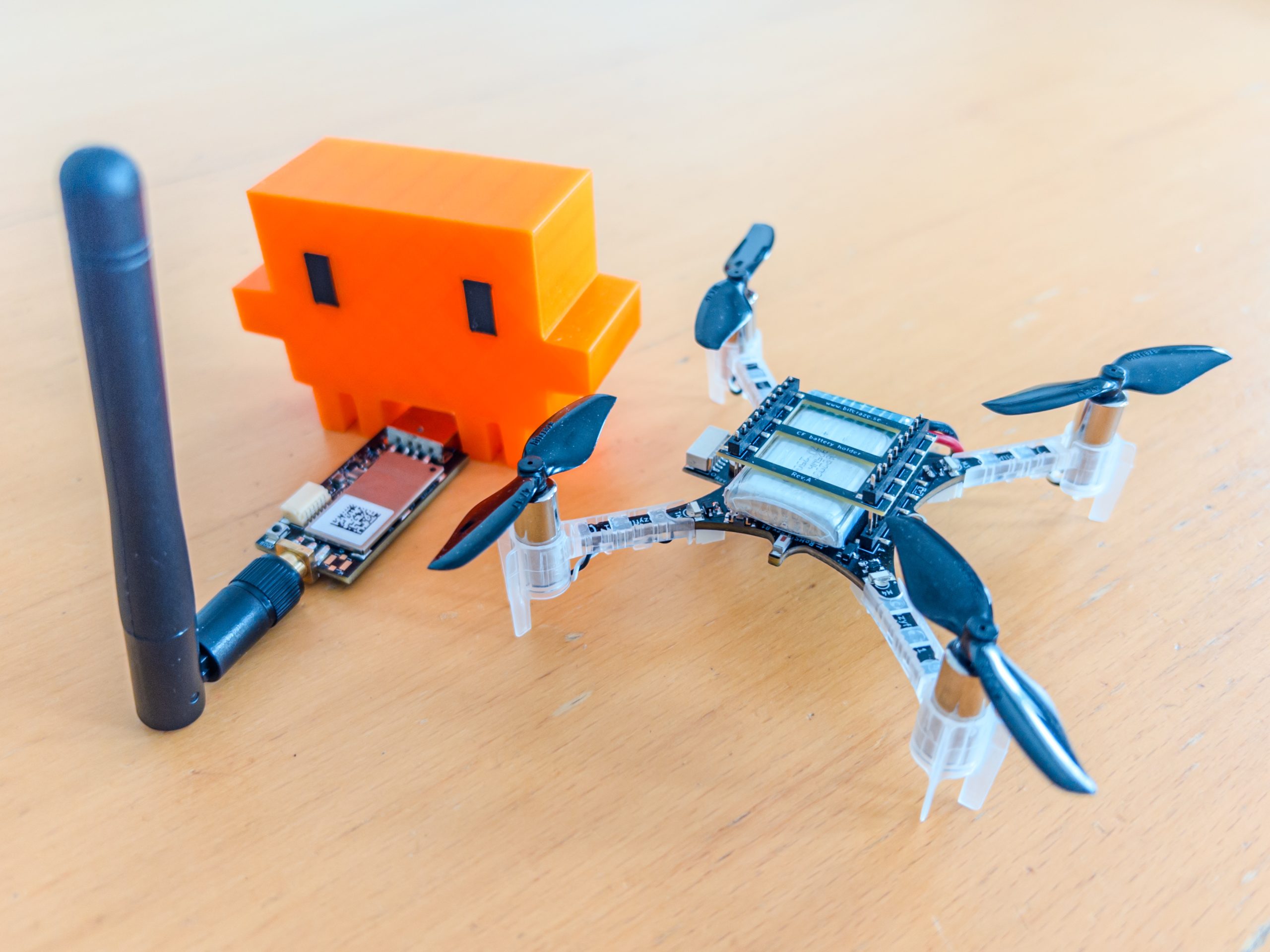
A few years ago, we started looking at Rust as a possible foundation for parts of the Crazyflie software ecosystem. At first, this was mostly exploratory work: experimenting with Rust on embedded systems, looking at WebAssembly, and investigating whether one communication implementation could be shared between several platforms and programming languages.

In Rust, Wasm and the Crazyflie, we explored what a Rust implementation of the Crazyflie communication stack could look like. Later, in Rust at Bitcraze, we described a somewhat more concrete direction: implementing the low-level Crazyflie communication and subsystem drivers in Rust and making them available to Python, C++, JavaScript and other environments.

At the time, this was still mostly a plan.

Since then, the Rust Crazyflie library has moved from a side project to an official Bitcraze project. It is used in production, has supported a number of tools and demonstrations, and is now becoming the foundation for the next version of our Python library.

With the first release of cflib2, this seems like a good time to look at where we are and how it relates to the direction we described a few years ago.

Why a shared Rust library?

The Crazyflie Python library, cflib, has been around for a long time and is used by a large part of the community. It is the reference library and so it supports most Crazyflie functionality and is the foundation of tools such as the Crazyflie client.

Over the years, we have also felt some of the limitations of its architecture. In particular, it has proved difficult to reach the level of communication performance we want for larger swarms. Improving this within the existing pure-Python implementation would require fairly deep changes which would require quite deep user-facing change (like going async) without a certainty of results.

A separate problem is supporting users working in languages other than Python. One community solution has been to maintain a semi-independent C++ implementation of the Crazyflie communication stack, the one used by Crazyswarm2. While this provides access from C++, it also means maintaining another implementation. New functionality usually lands in the Python library first and is only ported to C++ later, often when its absence becomes a pain point. Over time, this makes the ecosystem harder to keep consistent and maintain.

The Rust library addresses these two problems from different directions. It gives us a new foundation on which we can build a more efficient communication architecture, including better support for swarms. At the same time, it can act as a shared reference implementation for several languages. Native Rust applications can use it directly, while bindings can expose the same functionality to Python, C++ and other environments.

These two goals are mostly independent, but they reinforce each other. Instead of improving performance in one library and then reproducing the same work elsewhere, we can implement the communication and subsystem logic once and make it available to users regardless of the language they choose.

This does not mean that all Crazyflie users are expected to start writing Rust. Quite the opposite: one of the main goals is to make the advantages of the Rust implementation available while still allowing users to work in the language and environment that suit their application.

From an experiment to a useful library

The Rust Crazyflie library has gradually moved from being an experiment to something we can use in real applications.

It has been used in production test systems, development tools, demos and swarm experiments. In these applications, we have started to see some of the improvements we originally hoped for.

The library uses an asynchronous architecture, which makes it easier to manage multiple Crazyflies and several ongoing communication flows at the same time. It also gives us more freedom to improve how information is transferred between a Crazyflie and a computer.

For example, parameters no longer need to be downloaded during the initial connection; instead, they can be loaded lazily when they are first requested. This is the kind of functionality for which Rust’s type system and language features make it possible to build a clean architecture with a relatively straightforward implementation.

Individually, this kind of changes may sound fairly small, but together they can make connections faster and reduce the amount of radio communication required. This becomes especially visible when working with larger groups of Crazyflies.

We have already used the Rust library in demonstrations involving many Crazyflies connected through one Crazyradio 2.0. It is still an evolving implementation, but these experiments have shown that the new architecture can make a practical difference.

Bringing the Rust library to Python

Python remains one of the most important ways of working with the Crazyflie. For this reason, one of the main goals of the Rust library has always been to make it available through a Python API.

This is what we are now doing with cflib2.

cflib2 is a new, async-first Python library built on top of the Rust Crazyflie library. Its first release is now available on PyPI and the source code is available on GitHub.

Our intention is for cflib2 to become the official Python library for the Crazyflie and, in time, replace the current pure-Python cflib. We are not there yet, though. This is the first public release, made at a point where the library has started to see more use both internally at Bitcraze and by a number of early users.

cflib2 is not designed as a drop-in replacement for cflib. Its API has been designed again around an asynchronous model, and we are using the opportunity to reconsider some earlier design decisions.

Most of the communication and Crazyflie subsystem handling in cflib2 is implemented by the Rust library. The Python layer exposes this functionality in a form that should feel natural to Python users. This gives Python applications access to the same connection handling, caching and asynchronous communication used by native Rust applications.

We and a number of early users have already seen significant improvements when moving applications to cflib2. One visible example was our recent demonstration in which 49 Crazyflies were controlled through one Crazyradio 2.0. This was made possible by a combination of the new radio functionality and the architecture used by the Rust library and cflib2.

For now, cflib2 should still be considered a preview. A large part of the functionality is already available, and it is being used in real applications, but the API is not yet stable and breaking changes should be expected. The existing cflib therefore remains the official and established Python library today.

This first release is an important step towards making cflib2 the official library. Releasing it now allows more users to try it in real applications and gives us feedback while it is still possible to make larger changes to the API and architecture.

More than Python

Python is the first binding we are working seriously on, but it is not the only environment we have in mind.

The original idea was to use the Rust library as a common foundation for several languages and platforms. C++, WebAssembly and mobile applications are still possible directions.

In particular, we hope that the same Rust communication backend can eventually be used by future mobile Crazyflie clients. Sharing the implementation between platforms could make these clients easier to develop and maintain.

There is still work to do before all of this becomes available, and the exact shape of the different bindings is not decided. For now, cflib2 is the most concrete example of how the architecture can be used outside Rust itself.

The next step in the journey

Looking back at what we wrote in 2021 and 2023, the overall direction has remained surprisingly consistent.

We wanted to implement the lower levels of the Crazyflie communication stack once, use Rust where its properties were useful, and expose the result to the languages and platforms used by the community.

The Rust Crazyflie library and cflib2 do not complete that journey, but they are a significant next step.

For the first time, Python users can install a library based on the shared Rust implementation and start using it in their own applications. At the same time, we can continue improving the communication stack without having to reproduce every improvement separately in each language.

We are still learning what works well, and both the Rust library and cflib2 will continue to change. Feedback, bug reports and experiments using the new library are very welcome.

You can find the projects here:

It is nice to see that an idea we started exploring a few years ago is now becoming a useful part of the Crazyflie ecosystem.

AI coding agents have become increasingly useful lately. The main reason, as far as I can understand, is that agents like Claude Code can close the loop: they can produce code, test it, and iterate. This is critical because models will make mistakes, and the feedback loop allows them to iteratively correct problems and usually converge on a working solution.

When trying to use coding agents with embedded systems, I quickly found myself becoming a manual tester, copy-pasting logs and describing behavior back to the agent. I was the one closing the loop, which is both inefficient and frustrating. So I started looking for ways to improve that.

Control by CLI

One of the great strengths of coding agents is that they can close the loop through the command line. They can invoke CLI tools, and by assembling them together they can achieve far more than any single tool would allow, this is essentially the Unix philosophy applied to AI-assisted development.

The most effective way to extend an agent’s capabilities that I’ve found so far is to build dedicated command line tools and let the agent use them. I ran a couple of experiments with dev boards where I had the agent create a small Python tool to control the board. The minimum useful functionality was: flash firmware, observe the console output, and reset the board. With just those three capabilities, the agent gains the ability to iterate almost entirely on its own.

The crazyflie-agent-cli

This is where the idea came from for creating such a tool for the Crazyflie. I chose to write it in Rust, partly to exercise our newly developed Crazyflie Rust library.

The capabilities I gave it are:

  • Flash the Crazyflie using the bootloader
  • Reset the Crazyflie into bootloader or firmware mode
  • Console, stream the debug text output from the firmware
  • Parameters, read and write parameter values
  • Log variables, stream the value of log variables

This is roughly the minimum viable feature set for Crazyflie firmware development. Since AI coding agents already know how to write C code and compile projects, this is, in theory, enough to close the loop and let an agent implement new functionality, flash it, observe the behavior, find a bug, and iterate, just like in a normal development workflow.

Designing a CLI for agents, not humans

One design challenge worth mentioning: the Crazyflie communication model is inherently stateful. As a human, you would open an interactive client, connect to the drone, and then poke around, reading parameters, watching log variables, tweaking things live. That interactive, session-based workflow doesn’t translate well to agents, which can’t use interactive CLIs. Instead, the crazyflie-agent-cli uses a daemon/client architecture: the agent first launches a background daemon that establishes the radio connection, then uses separate one-shot commands to interact with the already-connected Crazyflie. It’s not the most ergonomic design for humans, you end up needing two terminals, but it turns out to work surprisingly well for an agent, which has no trouble managing background processes and firing off commands independently.

Putting it all together

The CLI gives the agent the capability to interact with the Crazyflie, but it also needs to know how to use it. We could tell the agent at the start of every session “here is a tool you can use,” and it would figure things out by calling --help. But a much more efficient approach is to use skills.

Alongside the CLI, I created a skill that teaches the agent how to use the tool for Crazyflie firmware development: what the workflow looks like, how to flash, how to debug. This is what truly closes the loop, once the skill is in place, the agent knows what a Crazyflie is, how to flash it, and how to debug it, without needing much guidance.

The end result: Claude Code can implement simple firmware functionality largely in one shot, and even when it doesn’t get it right the first time, it will iterate and generally get there.

Here is an example prompt that works end-to-end:

I have a Crazyflie on channel 80, 2M, default address. Add a log variable that exposes
the free heap size so I can monitor it over time. Build, flash, and verify the new
variable appears in the log list.Code language: PHP (php)

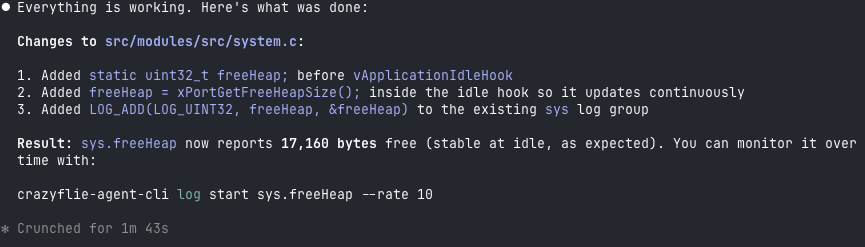
After a little while, the Crazyflie has been flashed, functionality has been verified and result looks something like:

Conclusion

This tool is not an official Bitcraze product, it’s a Fun Friday project. But we think it’s a nice demonstration of what is becoming possible with AI coding agents. By closing the loop, we can start to accelerate firmware development the same way AI has already accelerated other kinds of software development. That said, this is a force multiplier, not a replacement for engineering judgment. The human still needs to be in the loop.

For instance, I believe this CLI is already capable enough to let an agent bring up a new deck with a new sensor, exactly the kind of scoped, iterative task where the available functionality is sufficient. The tool could certainly be improved with more features, and we’ll see how much that happens. But we expect it will likely find its way into some of our day-to-day Crazyflie work at Bitcraze.

For the time being, treat it as an experiment and an example, not a finished product. The code is on GitHub at ataffanel/crazyflie-agent-cli if you want to try it out.

This week we wanted to reflect on the progress that has been made lately in the Crazyflie ecosystem which will lead to bigger and better Crazyflie Swarms.

Radio communication

Like pointed out in the last blog post about Building a Crazyflie Flower Swarm with Rust, the new Rust Crazyflie library together with the new Crazyradio 2.0 has improved connection time and link efficiency by quite a bit.

It is now possible to connect swarms of multiple dozens of Crazyflies in seconds using a single radio and then make them fly while still getting position telemetry. So many Crazyflie on one radio does limit the maximum bandwidth per Crazyflie, but it does now work in a stable way!

Color LED deck

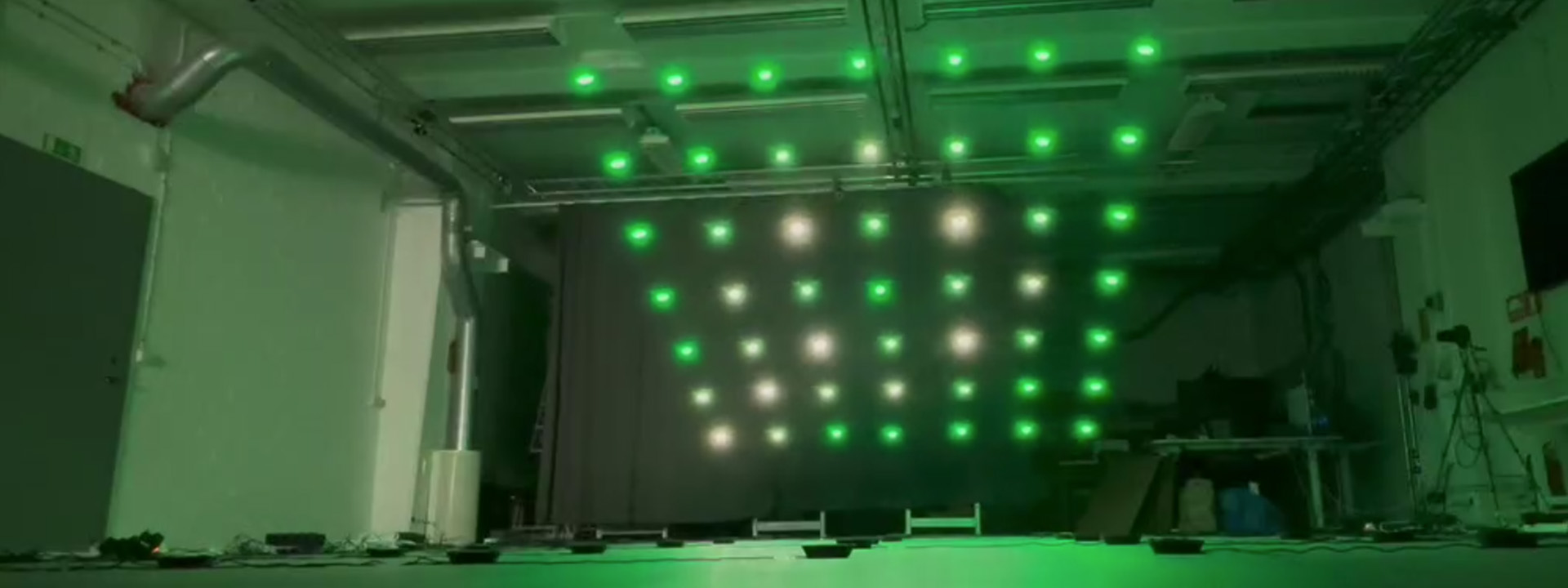
The recently released Color LED deck is a great addition to the ecosystem towards swarm. Its predecessor, the Led-ring Deck, has been used a lot by researchers to indicate state of individual Crazyflies in a Swarm. The Color LED Deck improves on that by providing a diffuser that allows to see the color from the side. This allows to mark states of big groups of Crazyflie much more clearly.

As a bonus, the Color LED Deck is very usable in other field like art and shows since it is much more visible and can be used to fly Crazyflies as “Flying Pixels”.

Autonomous landing and charging

Last year, we have released a Crazyflie 2.1 Brushless charging dock. This is a produced version of an idea we have been using with Crazyflie 2.1 and the Qi deck for years at fairs and conferences. It allows Crazyflies to autonomously land and charge. It is not only great for autonomous drone demos and shows but it also is a great waiting spots for swarms when doing research: the charging dock keeps the swarm charged so that when it is time to take off all the individuals starts with the same battery level.

Future endeavors

On the radio side there are still areas that would bring great improvement on communication stability. We are for example working on a channel-hopping communication protocol that should make the connection mostly immune to regular interference on 2.4GHz.

We are also working at improving other parts of swarm management, this includes for example solving the problem of flashing a full swarm of Crazyflie with the same firmware: we may be able to use broadcast messages more in order to drastically speed up the process instead of flashing the Crazyflie one per one.

Overall, working on bigger swarms allows us to work on the full stack and to make the Crazyflie a better drone for everybody.

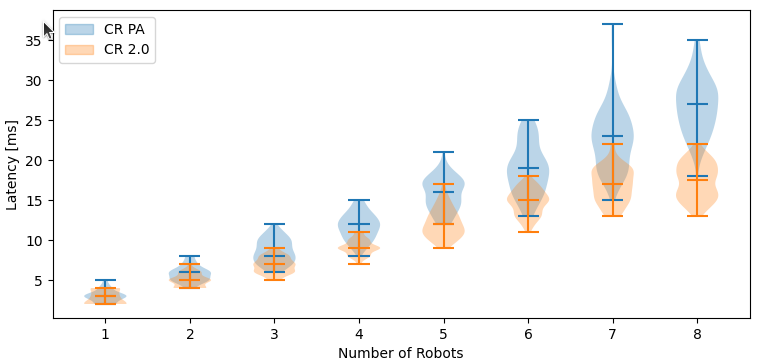
We are thrilled to announce that we just released a new firmware version for Crazyradio 2.0. This version implements a new USB protocol, called inline mode, that makes it much better at handling swarms of CrazyflieTM. The following measurement, made by Wolfgang Hönig, shows the improvement in latency scaling when using Crazyradio 2.0 v5.1 with the latest Crazyswarm:

Visit to the Multi-Robot Systems LAB in TU Berlin

This work started with a visit to Wolfgang’s lab in TU Berlin. Wolfgang is the original developer and maintainer of Crazyswarm 2, and has seen first-hand the problems Crazyradio 2.0 had with flying swarms. After a week of work together we made enough progress that we almost had Crazyradio 2.0 working with Crazyswarm.

The “almost” part was because Crazyradio 2.0 exhibits a bug when sending high frequency of broadcast packets mixed with uni-cast packets. This is primarily visible in Crazyswarm when flying at least 8 Crazyflies in a MoCAP system. The inline-mode implemented in 5.1 actually side-steps this bug.

What is inline mode

Crazyradio has quite a long legacy, the USB protocol dates from the original Crazyradio which was implemented to control Crazyflie 1. At this time, the main use-case was to fly a single Crazyflie. So, the protocol was optimized for connecting a single link. Setting link properties like radio channel and radio address uses USB-setup transaction, which are useful side-channel commands provided by the USB protocol. These setup transaction are not optimized to be fast though, they are designed to send occasional device commands, which was well suited for the original use of Crazyradio.

Flying with a swarm came later, and while the USB protocol was not optimized for this, it worked well enough. When controlling multiple Crazyflie, Crazyradio will communicate with each Crazyflie one after another. This requires setting up radio between each packet, which means at least as much Setup transaction as regular USB-Bulk transaction used for the packets. Things are worst with a MoCAP system, since the position of all the drones needs to be sent at a fast rate to all the drones, which is much more efficiently done using broadcast packet. This requires one mode setup transaction to activate/disable broadcast mode.

This is the main improvement of the inline mode. All radio parameters that matter when communicating to multiple Crazyflies are now sent as a header to the radio data packet itself, using the performant Bulk transactions used for data. This makes the communication to a swarm more performant and, more importantly, it scales much better.

Before one could expect ~1200 packet per seconds to a single Crazyflie and ~600 with 2 and more. Setting parameters used a lot of time limiting the performance. The new inline mode offers the same performance for one and many Crazyflie: the 1200 packets per seconds are shared equally between all connected Crazyflie. This should double the number of Crazyflie one can fly per Crazyradio.

How to use it

As of writing this blog post, the inline mode is only implemented in the latest commit of Crazyswarm 2. Implementation in the Crazyflie Python lib and the Rust lib are planned and should land before 2026. The mode will be enabled by default if Crazyradio 2.0 is updated to Firmware 5.1 or later. So if you want to benefit from the performance boost, update your Crazyradio by fetching the new firmware.

Future of Crazyradio 2.0

There is still a lot more to be done. Of course we will not have another 2x gain, but we have not reached the limit of what the Crazyradio 2.0 can achieve yet. Early tests with the “fast ramp-up” mode of the radio shows that we should be able to improve latency by another 10% quite easily.

We are, however, still limited by the current USB protocol philosophy that synchronize USB and radio communication. Decoupling both is already prepared in the inline protocol but might require more drastic re-engineering of the USB protocol.

For the second year, we are helping organize the Robotics and Simulation developer room (ie. devroom) at Fosdem. This is a community effort and I, Arnaud, am part of the organization committee for this devroom. Tldr: last year’s edition was a great success, propose a talk for this year!

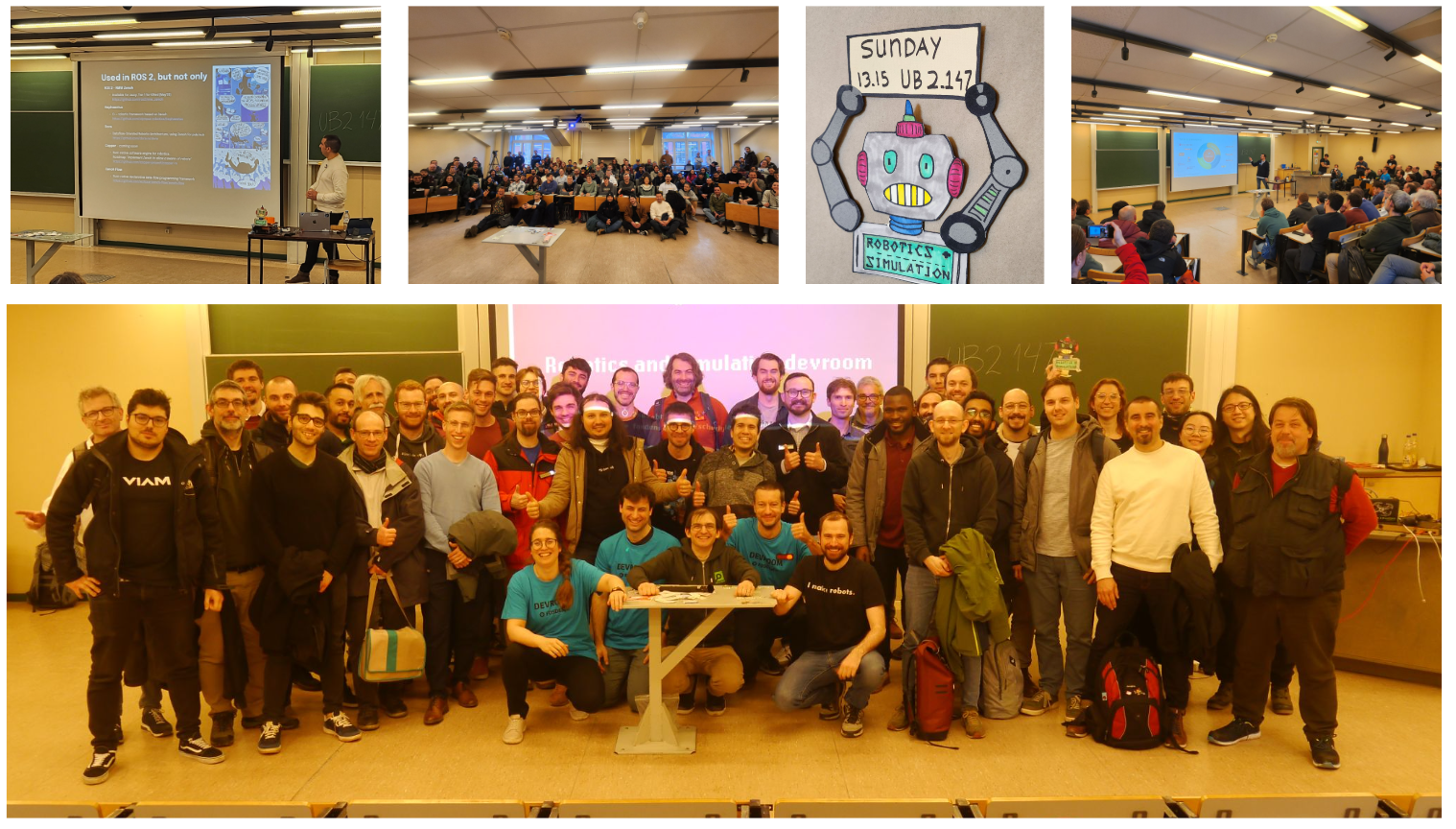
Collage of the 2025 Robotics and Simulation Developer room

Fosdem is the biggest open source software conference in Europe. It is free to attend and happens the weekend between January and February in Brussels, Belgium.

The conference is organized with a main track as well as … devrooms. A devroom is very much like a small conference in and of itself: Fosdem allocates a room and the video recording. The dev room managers are responsible for publishing a Call for Participation to get people to propose talks, reviewing the talk proposals, and organizing the room so that all goes smoothly on the day.

Last year, we were allocated Sunday afternoon to host a Robotics and Simulation dev room. It went really well, we had so many talk proposals that we had to refuse some, and the room was so full that we had to refuse the entrance to some people during talks (Fosdem rightfully takes fire safety very seriously, so we cannot pack rooms over capacity).

We are thrilled to announce that we got a full-day room this year! This will allow us to have many more talks and hopefully to reach even wider in the robotics landscape.

If you, or anyone you know, has anything interesting to talk about and present, please have a look at the Call for Participation. The deadline for the proposal is on the first of December, and the main requirement is that it covers an open source project. A talk should highlight both foundational capabilities and new AI-driven approaches, showcasing practical progress and key takeaways. The topics could include, but are not limited to, core robotics libraries and applications, frameworks for building robotics systems, simulation tools, or open-source-friendly hardware platforms. See the CfP for more details. You can also look at last year’s talks for some inspiration.

We look forward to meeting you in Brussels this year!

One of the unique characteristic of the Crazyflie platform is the fact that decks (the Crazyflie expansion boards) are detected dynamically at startup. This makes the platform pretty much plug and play: plug a flow deck and you can fly autonomously with relative positioning, no configuration or recompilation required.

In this blog post we will present a new system we have implemented to identify and enumerate decks. This is intended to be the new default from now-on and can be used by anyone who wants to make a Crazyflie-compatible deck.

Current system: 1-Wire Memories

This is currently achieved using 1-Wire Memories. These memories can be discovered and addressed using a guaranteed unique serial number. This means that there can be as many memories as we want on the bus and they can all be discovered and read.

In the Crazyflie ecosystem, every deck has a 1-Wire memory that contains the identity of the deck. At startup, the Crazyflie discover and read all the memories which allows to discover all the decks and initialize the corresponding deck driver.

The future: DeckCtrl

The current system works very well but is has two major shortcommings:

  • The 1-Wire memory we are using does not provides GPIO or any other control. It makes it impossible to control the deck “out-of-band” in order to switch it on/off or launch a bootloader for example.
  • The 1-Wire memory has only one manufacturer and, because of a lot of reasons, we can only use a single model of it. At times it has caused us stress when the chip availability is low.

The new DeckCtrl-based system addresses these two problems by using a regular micro controller over I2C and provides support for GPIO as well as, in the future, UART, SPI and any other protocol that might be needed to handle the deck startup and configuration.

DeckCtrl is mainly a protocol definition. The current implementation is for STM32C011 micro controllers. While this could be implemented on any micro controllers, we will likely stick to the STM32C011 for the foreseeable future.

Deck discovery over I2C

One of the main innovations is the development of a new discovery and enumeration algorithm over I2C. Indeed, one of the main difference between I2C and 1-Wire is that 1-Wire memories are addressed using a 64Bit unique serial number while I2C uses 7 (or 10) bit addresses. This means that it is impractical to assign a unique I2C address to each device, and even if we tried to assign one address per deck type it would make it impossible to detect the same deck multiple times on a Crazyflie.

To solve that problem we designed a protocol that allows starting all DeckCtrl on the same address and enumerate them so that we can select all of them one by one, and then assign them a unique address on the bus. At a high-level this behaves very similarly to DHCP, where all devices will be assigned an address dynamically.

Once the decks have all been configured, it is possible read a memory to recover the deck identity and initialize deck drivers as we are currently doing.

Just that is a great step forward for Bitcraze: we are not dependent anymore to a single model of 1-Wire memory.

Deck life-cycle control

The second major improvement is what I called earlier “out-of-band” control of the deck. By that I mean that we can have control over the deck that is independent from the deck’s main micro controller chip. This is something we have long missed to, for example, be able to put decks in bootloader mode. The solution that has been used for the lighthouse deck is to always start in bootloader mode and then boot. This works, but has proven to be impractical for some use-cases and is not possible with all micro controllers.

The new DeckCtrl protocol defines space for GPIO control and the possibility for more in the future. This allows for example to switch ON and OFF a deck in software if one of the GPIO is used to control the deck power supply. We can also control the Reset and Boot pin of a micro controller in order to put it in bootloader mode.

Our goal there is to greatly simplify the design of more clever decks based on micro controllers. This will allow us, and anyone interested in making decks, to make more competent decks while making is easy to develop the firmware for them. For example, we will be looking at allowing to reprogram decks without having to restart the Crazyflie, which will make it much easier to develop and iterate.

Status

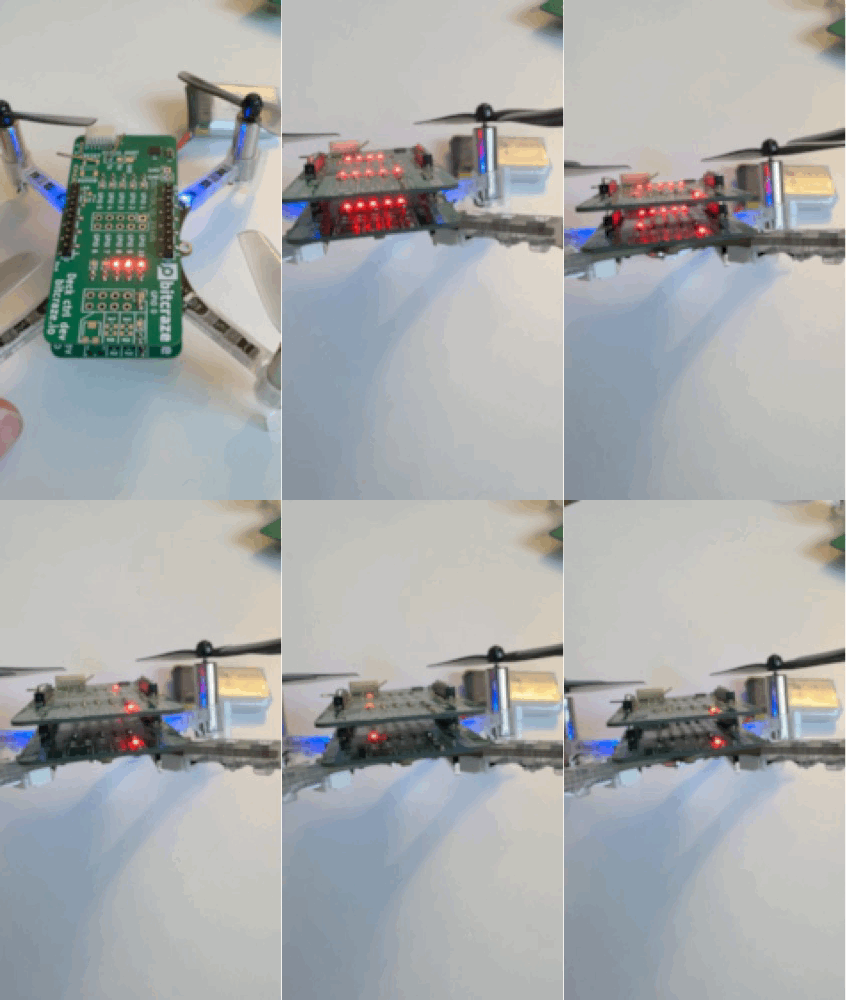
We have now finished the first iteration of the DeckCtrl protocol design and implementation. There is also a driver that exercises the GPIO part of it, this has been tested to work on many identical decks at the same time on a dev-deck we use for development:

This has been done in the context of the High-Power LED deck project. This future deck will feature a powerful RGBW LED which will be controlled by a micro controller onboard the deck. So it will be seen as an I2C device from the Crazyflie side. This design also shows the intent of DeckCtrl as this deck has 2 STM32C011: one implementing DeckCtrl and one application micro controller implementing the LED driver and other useful functionalities like color correction and temperature monitoring.

We have already had a few discussions about putting more Rust into the Crazyflie ecosystem. One of the places where we find it could be the most beneficial is to replace the current Python-based Crazyflie Lib.

Picture of a Crazyflie with the Rust logo

Why a Rust Crazyflie Lib

Rust is a modern system programming language that prioritizes reliability and productivity. This means that it is a language that will have enough performance for any current use-case of the Crazyflie lib, and nice enough to use that we can write code that is correct and easier to maintain. So in a way, switching from Python to Rust, is a move to benefit the main lib developers, us here at Bitcraze.

Furthermore, Rust has binding capabilities to almost everything. So, with a Rust implemented lib, we can target languages for all current users of the Crazyflie: mainly Python and C++ (for ROS). This means that we can make and maintain one lib for everyone.

This would be mainly interesting for the Crazyflie ecosystem because it would lift the Crazyflie API one notch. Currently, if you want to talk to the Crazyflie in C++, Swift, Kotlin, or any other language that is not Python, you have to re-implement the radio link as well as all binary radio packet handling that communicates with the Crazyflie. Our goal is to raise that to the Crazyflie lib: the Crazyflie lib would then become the Crazyflie API.

This does not mean that we want to prevent anyone from playing around with the radio packets, but we do not want that to be a requirement for interacting with the Crazyflie.

Status

Since we last talked about it, there has been quite some progress with the Crazyflie rust lib. First of all it has been moved from my personal GitHub to the Bitcraze Github. It is now an official day-time Bitcraze project :).

The lib has also been used by Marcus to make a Crazyflie-cli. This is a very useful tool when developing or working with the Crazyflie. It makes it possible to observe values, set and get params, and more, directly from the command line.

Finally, the Crazyflie Rust lib is now used in the production test rig for the Crazyflie 2.1 Brushless. We have a new rust-built test system for production that was developed for Crazyradio 2.0, and the Rust Crazyflie lib is now part of it for producing Crazyflie 2.1 Brushless. This means that the Rust lib is now officially in use and needs to be maintained! A side-project it is no more :-D.

Future, where are we going?

We have been thinking for (way too) long about what strategy we would take to introduce the Rust Crazyflie lib. The plan we currently have is to replace the current python lib, but to keep as much as possible of the current python API. The goal being to run the Crazyflie client on top of the Rust lib.

This would not only improve the client and lib reliability and performance, but it will also prove that the Rust lib is full featured enough to be used by more clients. Then we can target C++ and even Swift and Kotlin to finally improve our mobile clients.

Finally, one ‘dream’ that might be enabled by this move is to be able to make a Web-client. There are still a couple of technical hurdles (for example the fact that we for now only support the Tokio async executor), but this lib would be the foundation for a WASM mobile client. Imagine configuring and controlling your fleet of Crazyflie directly from a web-browser. Of course we need to focus on what can work today first, but this might become possible in the future thanks to Rust.

At the beginning of the year, we released the Crazyflie 2.1 Brushless charging dock. This project was very much an experiment for us since this is the first product we are mainly manufacturing and assembling by ourselves in Sweden. We though we would write a little bit about the reason we made it that way and how it is going.

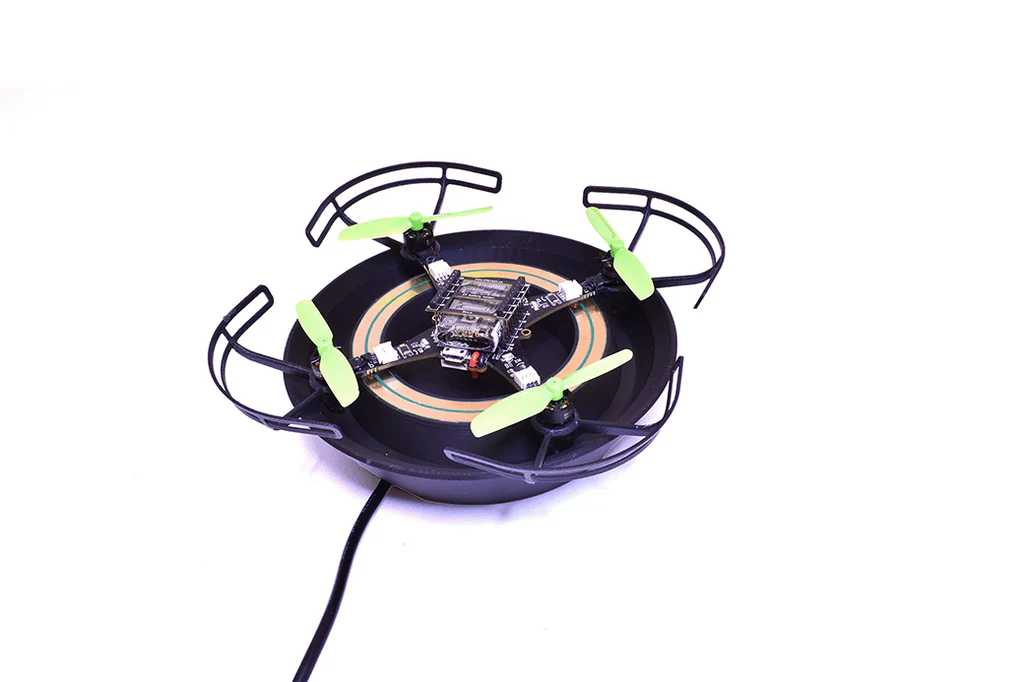
The Chaging dock is already described in a brunch of pevious block post. It is basically a landing pad for the Crazyflie Brushless that charges the Crazyflie when landed. This is an idea and a design we have been using for years for our fair demos and that has been very useful, we would not be able to continuously fly at fair without it! Some of us even started using is on their desk to keep their Crazyflie Brushless fully charged at all time while developing with it:

However, even though it has been so useful for us, and we designed the Crazyflie Brushless to be compatible with contact-charging, we where not sure of how many people out there would want or need such a charging dock. So we decided to make it available in an experimental manner by manufacturing it by ourselves!

Why ‘made in Malmö’?

While the manufacturing we have in place for all our other products works really well, it requires a non-trivial amount of effort to start the first manufacturing batch. This is mainly due to the fact that the full mass production chain needs to be setup for the first batch and that production happens outside Bitcraze, this requires a lot of work in documentation, planning and administration.

However by doing the production in house, we are able to fix issues as they arises and to work in a much more agile way. In house production will of course no scale, but for a proof of concept it might work, this is at least what we wanted to experiment with.

There are two main improvements that has allowed us to even consider in-house experimental production: the advent of cheap and efficient PCBA services and the improvement in 3D printers reliability. This allows us to source all the parts and assemble them to make the final product.

How is a Charging Dock made?

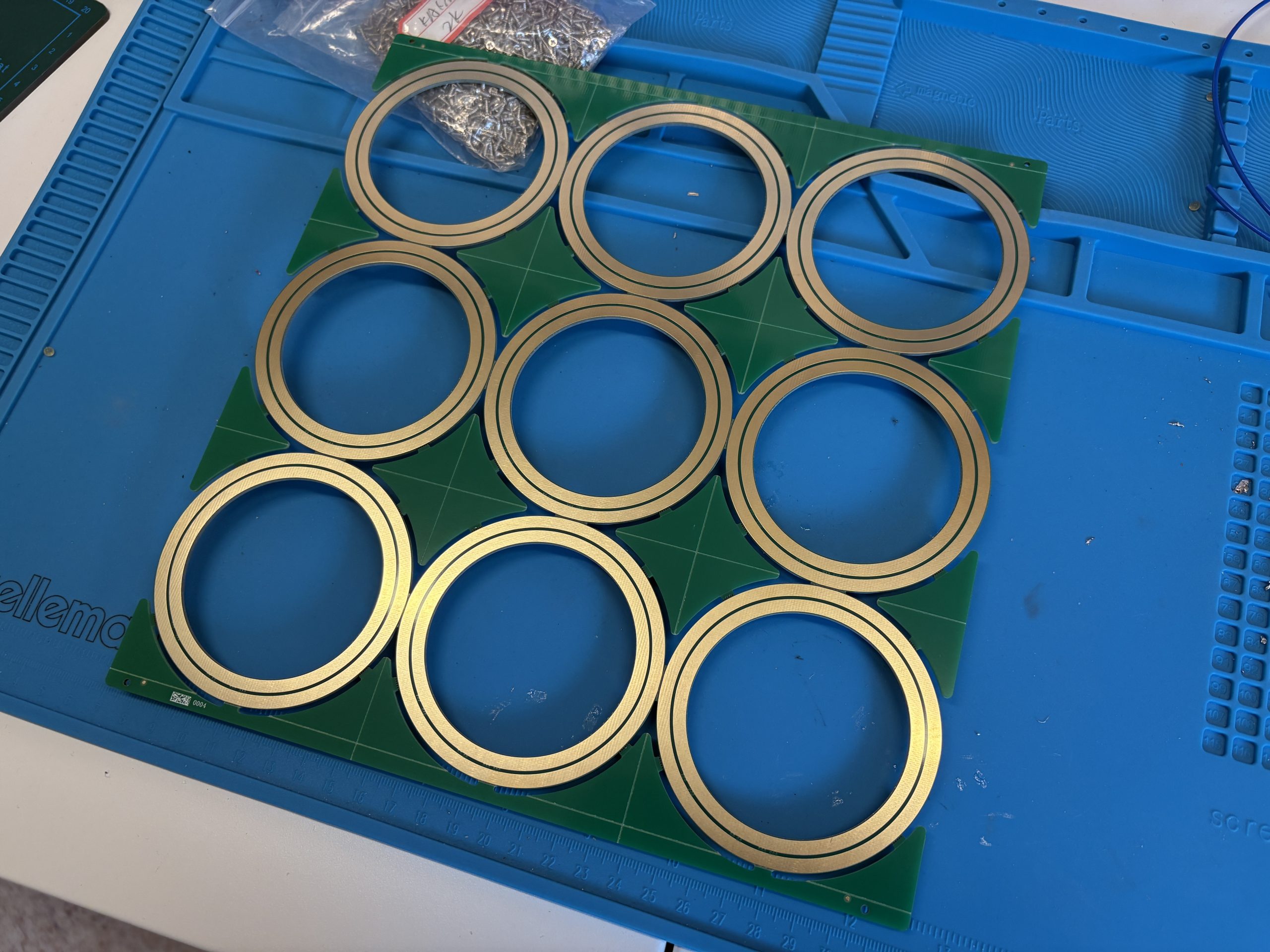
The charging dock is comprised of two main parts: the plastic landing pad and the electronic.

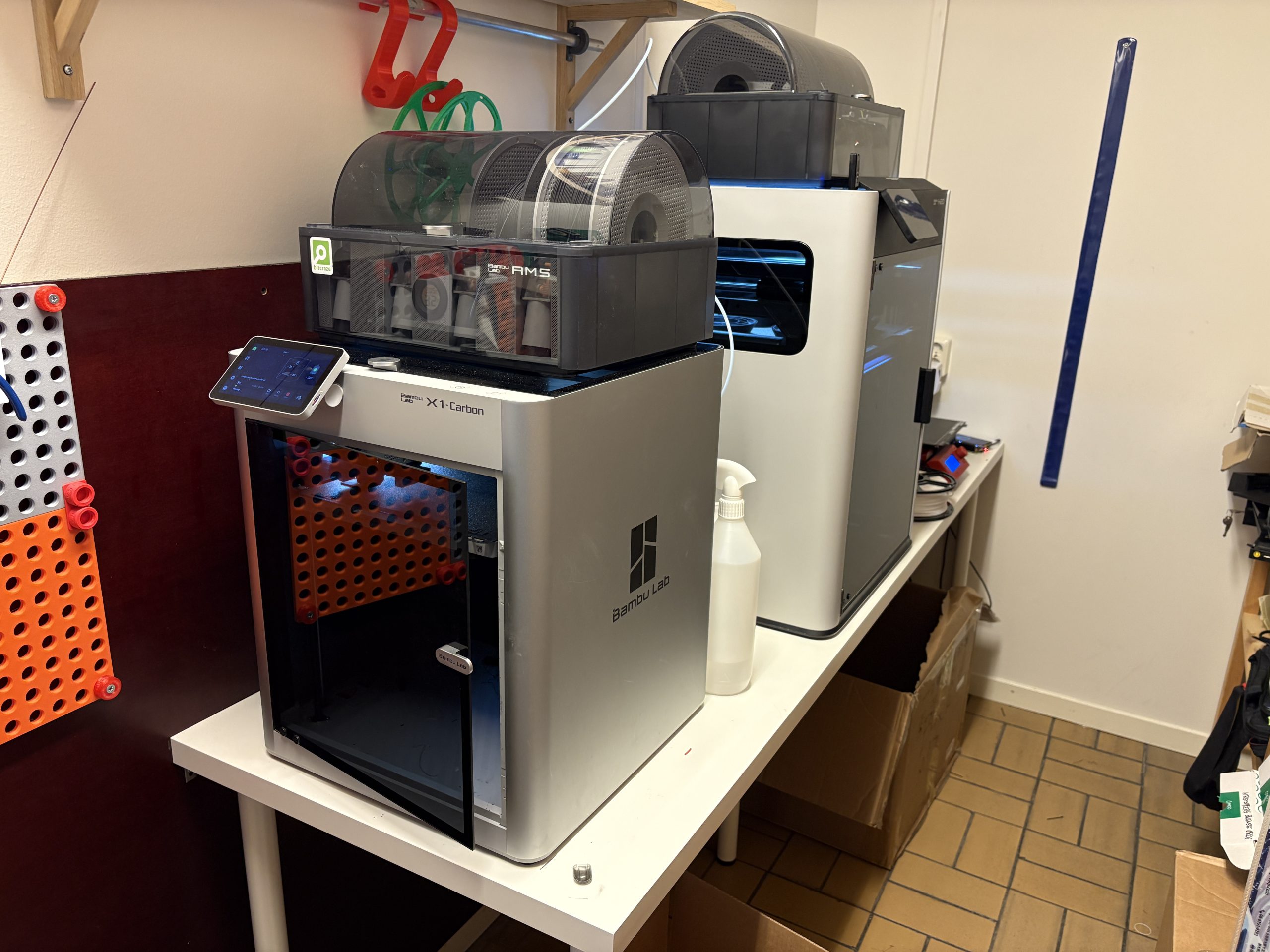
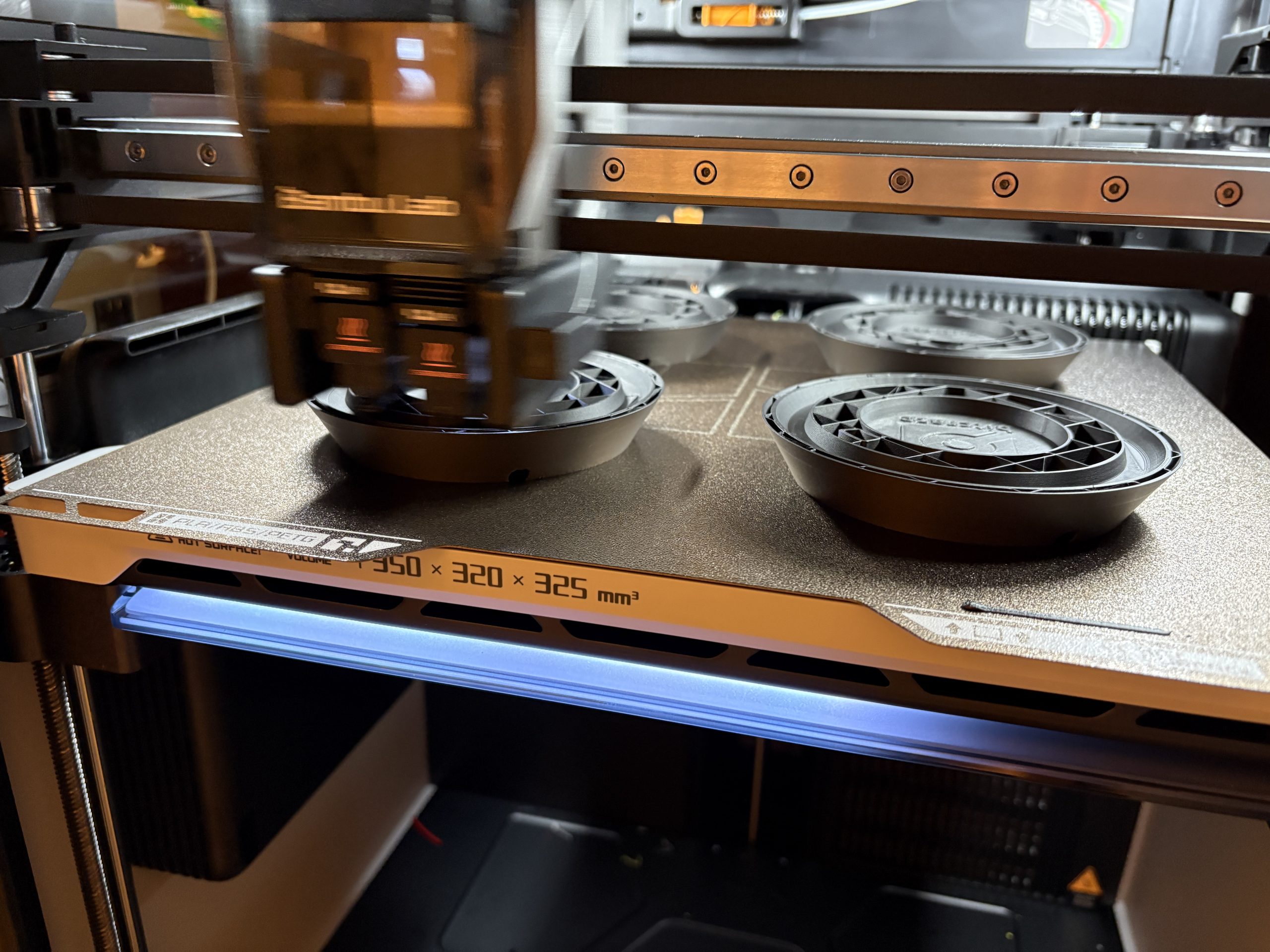
The Landing pad is 3D printed by us. We now have a mini-print-farm at the office (if a Swarm starts at 2 drones, a print farm shall start at 2 concurrently running printer :):

What made it possible for us to consider running this kind of production was when we got our Bambulab X1 carbon. It is much more reliable and most importantly easier to maintain that any printer we got before, which gave confidence that we could start making products of what we printed. We now have an H2D as well. This currently allows us to print 12 landing docks per working day.

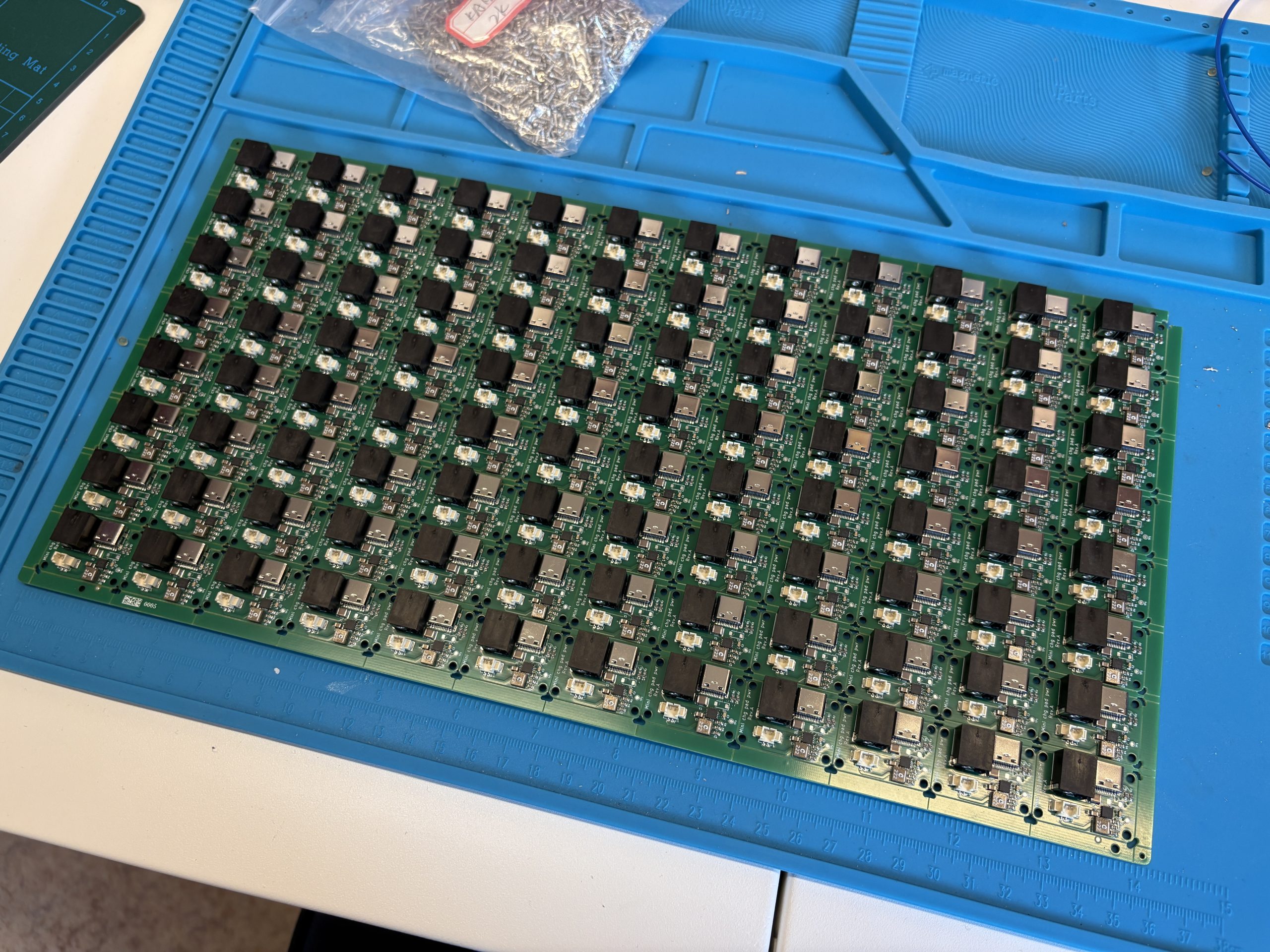
On the electronic side, we are now able to order fully assembled PCB, and even custom cable within weeks.

All we then need is assembly and testing and we got ourselves a small production line with very little risk and a lot of flexibility.

What now?

We are very pleased with what we have achieved so far with the charging dock. The first batch is sold out and we have started manufacturing a new batch with no big pain-point in sight. At some point we will have some decision to take though: do we continue in house or transition to more traditional manufacturing? Will all the work we put so far be useful for setting up mass manufacturing or will we have to restart from zero? At what batch size or frequency will we need to transition?

However this is also one of the great advantage of this: we have full control and we can decide when to manufacture where. As we have talked a bit previously, Bitcraze is a self-organized company, and this experiment actually fits very well with our way of working and keeps us agile. We hope this can free us from the doubts we usually have when thinking about more ‘niche’ products and will allow us to try new things in the future.

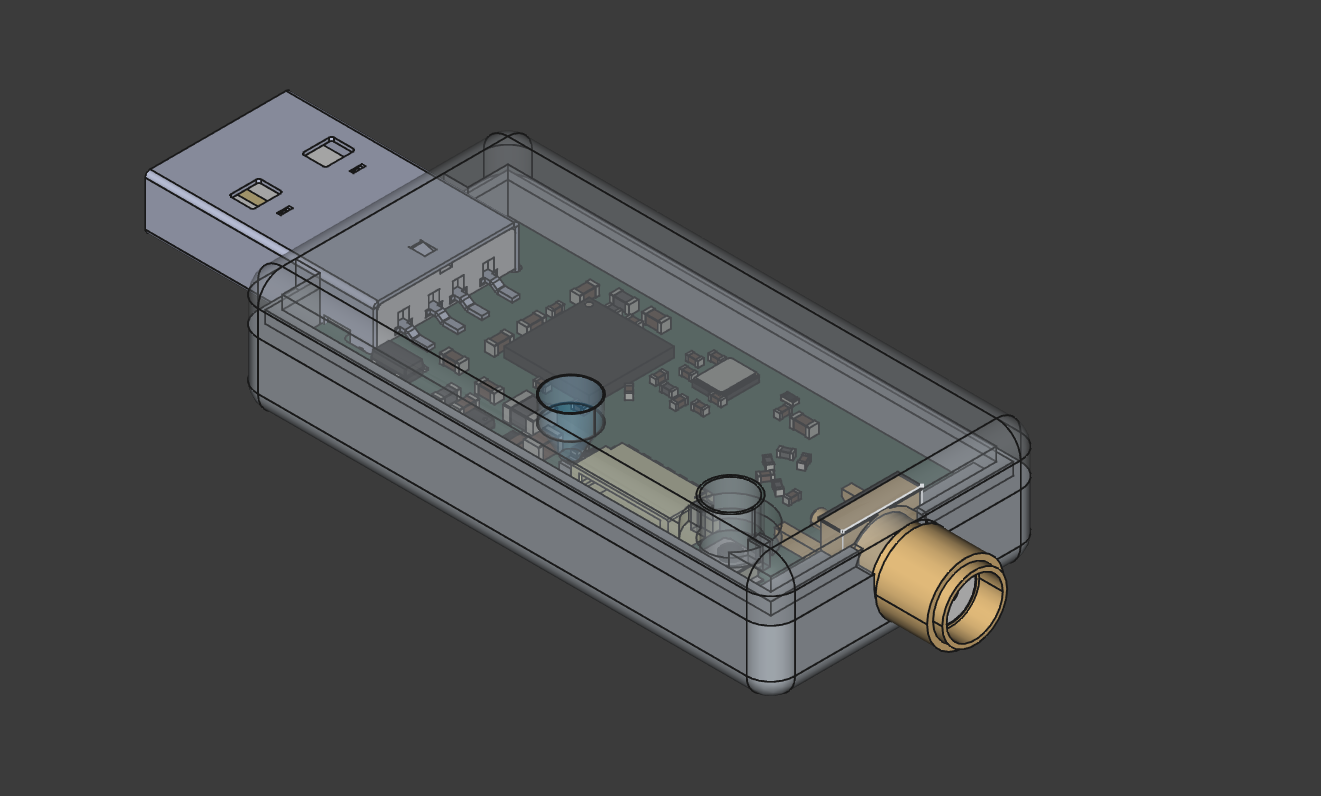
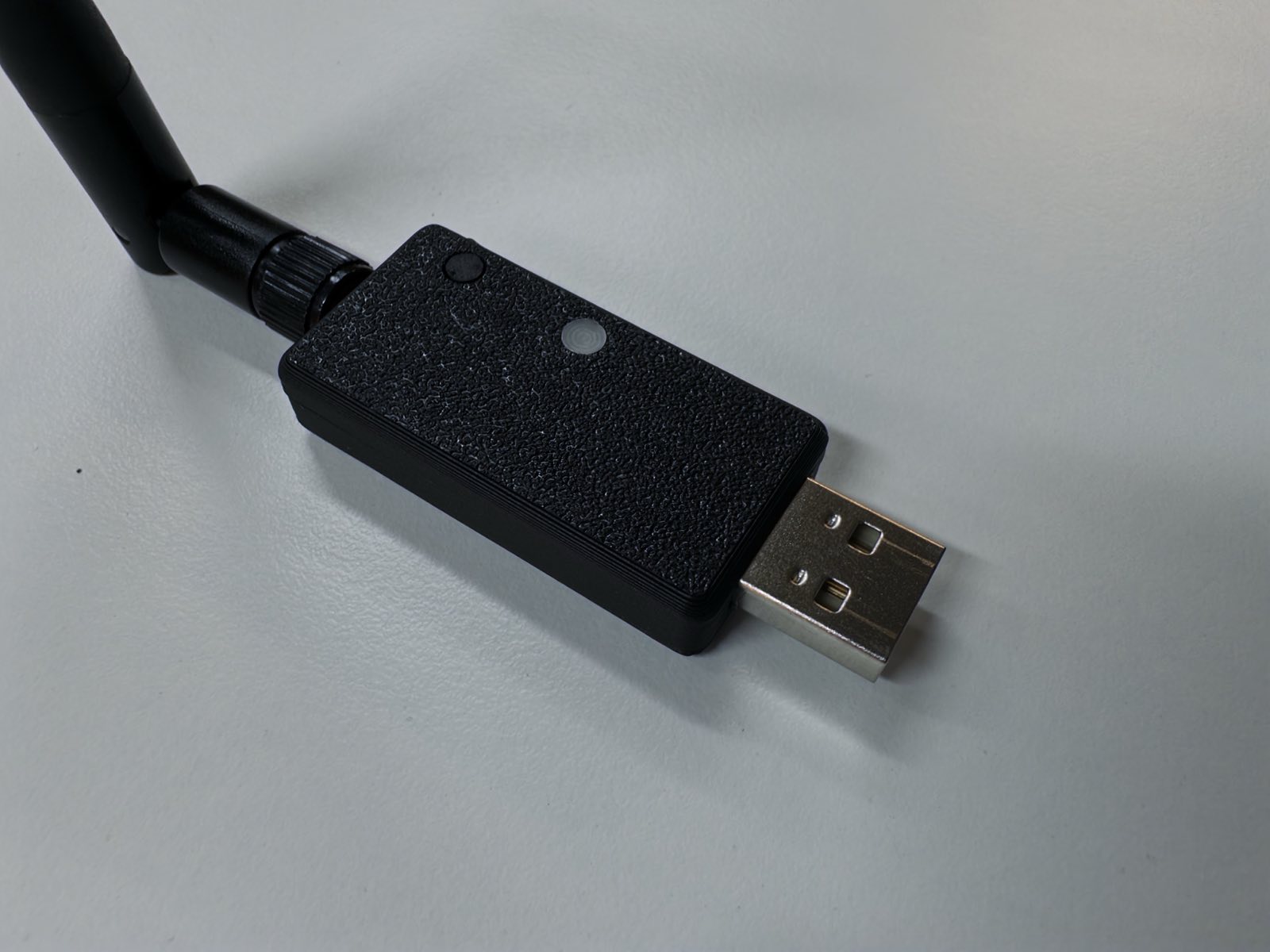
Lately, at home and at work during my Fun Fridays, I have been trying to learn more about 3D CAD and more precisely about FreeCAD, mostly in the context of (ab)using our 3D printers :). Inspired by a couple of Crazyradio cases that have already been published, I started working on a Crazyradio 2.0 case since this has not yet been done, I am quite happy about the result:

The design is mostly press-fit: the top and bottom parts are pressed together and hold thanks to the 3D printed layers interlocking in each-other. The LED lens is pressed in the top and the button actually slides and is guided by the top. The button is flush with the case since it is mainly a bootloader button and is not required to be pressed during normal use.

ECAD/CAD design

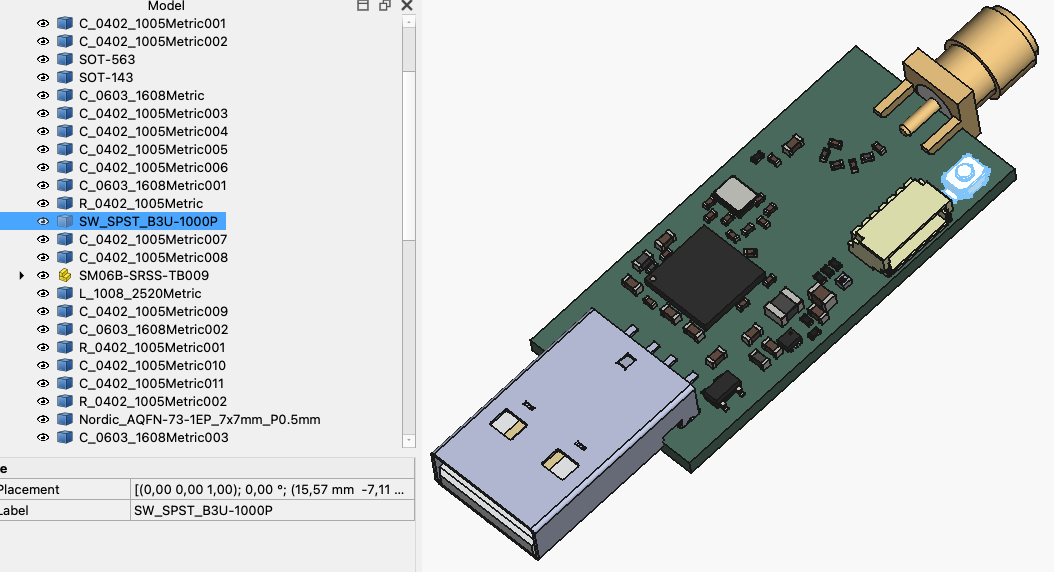
One of my goal when starting with this project was to experiment working both with Electronic CAD (KiCAD in my case) and Mechanical CAD (FreeCAD). There is an extension for FreeCAD that allows to go back-and-forth between the two tools, but in this case it was much simpler since my board was already finished, so I only needed to get a model of it in FreeCAD.

To do so, I made sure all the important components had 3D models in the Crazyradio electronic design. I had to import a couple of models from Mouser, and had to re-create the RGB LED in FreeCAD. I then exported it as a STEP file. This file can be imported in FreeCAD and retain all the interesting shape and surfaces useful to work with the model:

Shape binder: Keeping it DRY

Coming from the software/electronic world, we have this notion of DRY: Do not Repeat Yourself. Ideally I would like to apply the same to mechanical design and avoid as much as possible to write any measurement by hand. one way to do that with FreeCAD is with Shape binder. A good example of its use is with the LED lens.

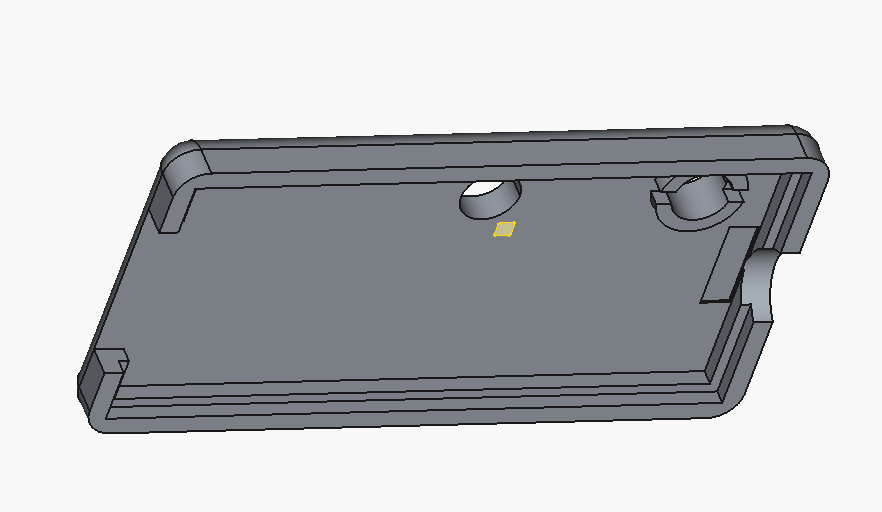
I wanted to put a translucent lens just on top of the Crazyradio LED. One way to achieve that is to create a Shape binder of the LED top surface onto the TOP and Lens. The LED top is the yellow square in the next picture and its presence allows to align perfectly the hole in the top cover to the middle of the LED on the PCB. This prevent all hazardous manual measurement when placing the hole.

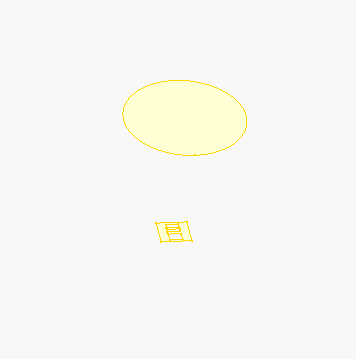
For the lens design I can go one step further, I can create a shape binder both for the LED and for the hole in the top layer, this way the shape of the lens is derived from existing geometry and, to a large extent, does not have to be specified manually:

This allows to quite easily align the lens perfectly on top of the LED. The same principle is used for the button to get it to slide and press on the PCB switch with minimal play.

Final product

I pushed the current state of the case on GitHub. It is also available on Maker World. I plan on improving the design before deciding to name it 1.0 and to eventually upload it on Printables and Thingiverse.

If you want to learn more about FreeCAD, I can recommend this great video series on YouTube, it goes through a lot of very useful functionalities like the shape binders.