Some Fun-Friday projects begin with a clear goal and a straight path to the finish line. The best ones, however, take you somewhere completely unexpected.
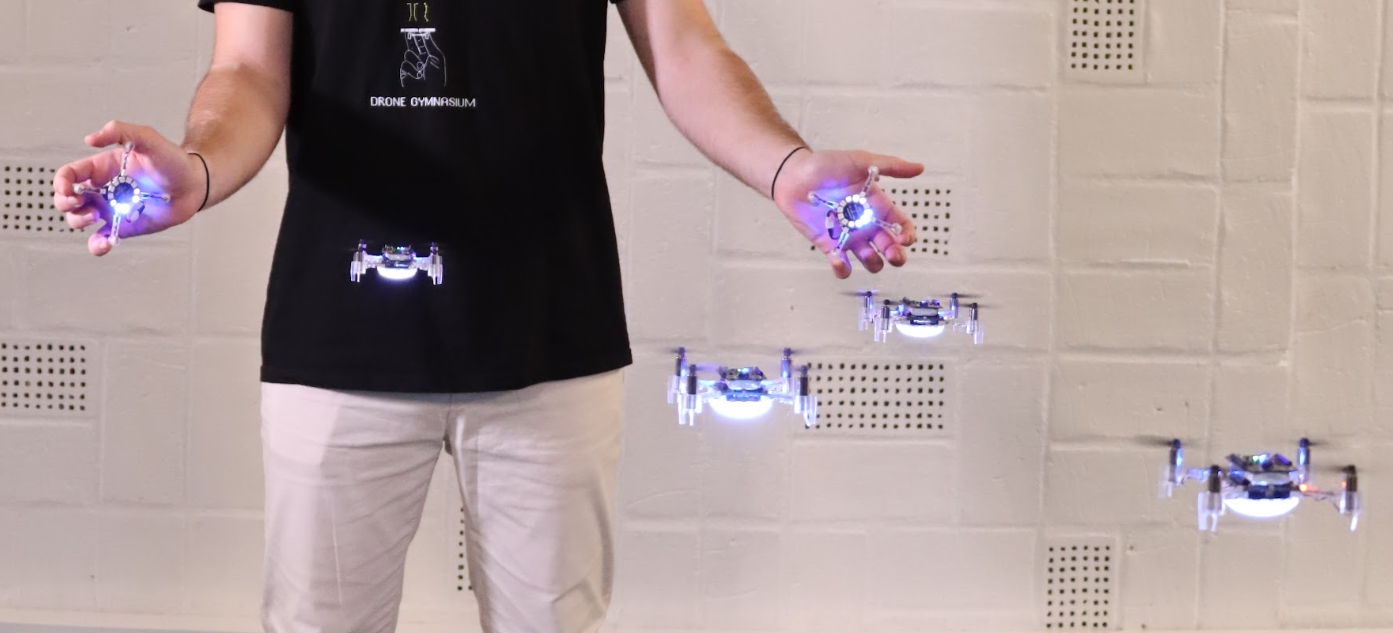
This project originally set out to build a device for determining spatial coordinates within a Lighthouse-covered flight area. Instead, it evolved into the Lighthouse Wand, a hand-held “magic wand” letting you grab and move drones in 3D space just by pointing at them.
How it works
The Wand is a Crazyflie platform with a Lighthouse positioning deck. That’s enough for it to know its own position and orientation in the room. When the button is pressed, it starts broadcasting those 6 numbers over Peer to Peer radio.
Any Crazyflie/receiver in the room on the same radio channel, listens to those packets and runs a simple “grasping” algorithm: while the wand line (positive x-axis) passes close enough to the drone, it builds up a confidence score. Once the score crosses a threshold, the drone is considered grasped. From that point on, it just keeps a specific distance from the wand, while being on the wand line.
When the button is released, the grasped drone either hovers in place, or lands, depending on the release height.
The Color LED deck on the receiver drone, gives you visual feedback: yellow while the Crazyflie is building up its confidence score, green when it’s grasped, and red when it’s landing.
A big advantage of this system is that all interactions run entirely onboard the Crazyflies, allowing them to operate without relying on the cfclient or cflib during flight.
The hardware design
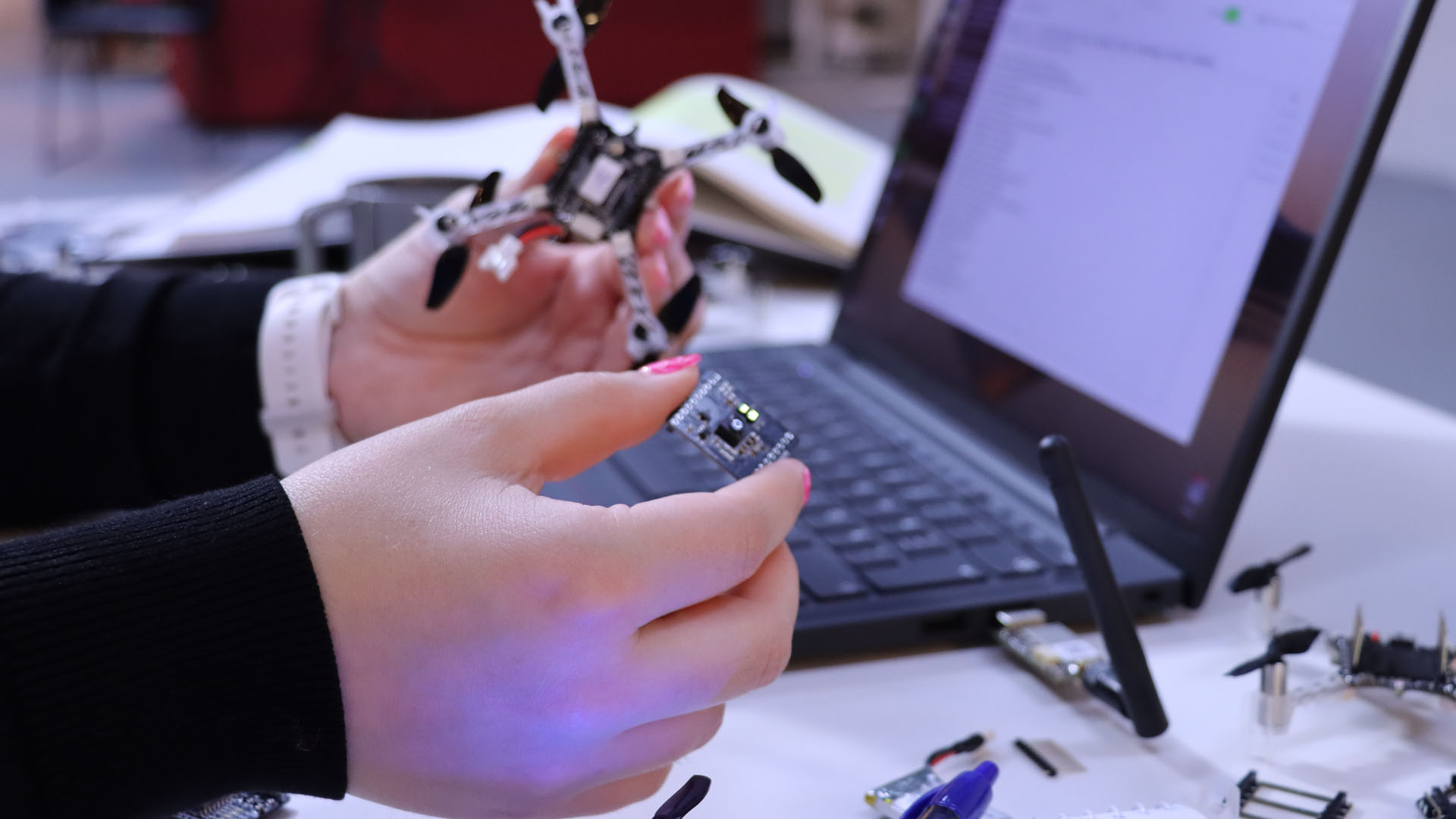
The wand is a Crazyflie Bolt 1.1 with a Lighthouse positioning deck and a Buzzer deck for audio feedback. To allow for user input, I created a simple “Button deck” based on the Prototyping deck utilizing the GPIO pins of the Crazyflie. It also includes an LED for visual feedback when the button is pressed.
The casing is fully 3D printed in PLA and was designed to give the device a more wand-like feel in the hand. Its shape also makes it easier to hold, aim, and use intuitively during interaction.
The firmware design
Both the Wand and the receiver are firmware apps created on top of the crazyflie-firmware. In the design that I followed, there is a clean separation between the two parties. The wand is a pure broadcaster: it only reads its own pose and transmits it. All grasping logic and flight control run independently on each receiver. Since each receiver is fully autonomous, the system scales to any number of drones with no extra load on the wand.
Where to find the Lighthouse Wand?
A version of the Lighthouse wand is now integrated in our decentralized swarm demo, where it can be used to interact with multiple drones, while the collision avoidance algorithms are still on. This system was first showcased at the European Robotics Forum 2026 in Stavanger, and we’ll also be bringing it to ICRA 2026. If you’re there, stop by booth 91and try flying a bunch of Crazyflies yourself using the wand.
You can find the complete Lighthouse Wand project in this repository. It contains the firmware, the hardware files, and detailed documentation to build and experiment with the wand yourself.
We are constantly amazed about what awesome things you, our users, do with our products, and how well you do it. Time and time again you push the limits of what the Crazyflie can do, and what is possible within the field of robotics. We do what we can to provide the best possible foundation for all your visions, both in terms of improvements to existing features and also adding new, awesome features. Once in a while, though, you find something that you think can be improved, that we have not thought about, and you know how it can be solved. This is what this blog post is about – how to take an idea that you have and make it available to all of our users…
First, let’s just clarify that we are talking about software today. There is hardware and mechanics as well, but let’s save that for another time. Our software is open source. Being open source is one of the foundational pillars that we at Bitcraze build upon. We believe that this a great way for you to understand our products; everyone has the possibility to understand and troubleshoot the Bitcraze products. It also makes it easier for us to collaborate with all of you and in the end makes for better products for all of you. A positive spiral of enabling awesomeness.
Three is a swarm.
Benefits of contributing – doing things together
Now why would you contribute? You have made an improvement, and maybe you think: Well, I have what I need, there is no direct value for me to make this change available to everyone. Or maybe you think it is an issue that only you have encountered, or that the change is not big enough to merge to the main repository. Or too much work to do it… Here is the good thing: as soon as you let us know what you are working on, we can help you understand the value and the effort of that change request – we know the community, what it is doing and what it needs. We also know how to take an idea and turn it into a product. Once you have said “I have an idea”, we will take the torch that you lit and push the idea forward. You will be accredited for the contribution (e.g. your name will show in our repository), but we will take the responsibility for it: We will test it, support it and maintain it, so that you don’t have to. We will make sure it follows the evolution of the software.
Another benefit of contributing is that when you contribute, another person somewhere else, working on similar things, is also contributing. We truly believe that the more our users contribute, the more our users contribute – the positive spiral mentioned earlier. There is a community out there, and it is filled with talented and knowledgeable people; it is welcoming and it is simply great to be a part of. This seems like a fitting place to say: Thank you for being awesome, community! We are so happy to have you.
Lending each other a helping hand when needed.
Some recent examples
Over the years a number of external contributions have been made, all of which have been appreciated around the globe. Here are a few recent ones:
Solution of buffer overflow in syslink
A change doesn’t have to be big to be valuable. This is a great example of finding a bug, and fixing it. Deep in the firmware things become quite niche, and therefore difficult to understand if you don’t have that specific competence.
This was contributed by a user who found that there was a limitation to what angle could be commanded when flying the Crazyflie in manual mode using the Mellinger controller.
Thrust battery compensation is an external contribution to begin with. Here is a pull request to improve the documentation of it, in order to increase usability. Good for everyone!
We do our best to make all our software work on as many operating systems as possible. This can be difficult though, and yet very appreciated by a lot of people when it works. Here is an example of a change that makes it easier to build Out Of Tree controller on macOS.
The Flapper Nimble has completely different aerodynamic properties than a Crazyflie. This work adds the possibility to account for that in the Extended Kalman Filter (EKF) of the onboard firmware.
For software contributions, the current procedure is to fork the repository for which you want to do a change, and then create a pull request to the original repository from your fork. If you feel that you are not ready to do that, or have questions, then please reach out via email or Github discussions in the corresponding repository. We are happy to discuss ideas before turning them into pull requests. During the process of merging the change into the main branch, we might ask you to provide additional information. This is because we want to make sure we fully understand what problem you are trying to solve and how. Doing so, we can take over the responsibility, and you can let go of it (if you want to). Smaller changes usually means less effort, and vice versa. However, you can contribute with as much time and effort as you see fit.
Ready for takeoff.
Worth noting also is that not all ideas or pull requests will end up in changes in the software. There could be a number of reasons for an idea being discarded, where effort compared to value is the main justification. Whatever happens we promise to have an open dialogue about your idea, and that we are transparent with the decisions that we make, so that future contributions will be even better! Just remember, no idea is too big or too small to pitch.
Pushing forward, together
Making it easier to do contributions, and increase the quality of the contributions, is something that we are dedicated to and prepared to make efforts for. So if you have any thoughts on how we can improve, or think about reasons that keep you from contributing that we can solve, we would very much like to hear it!
We are looking forward to collaborating on all amazing, crazy, improving and mind-blowing ideas out there!
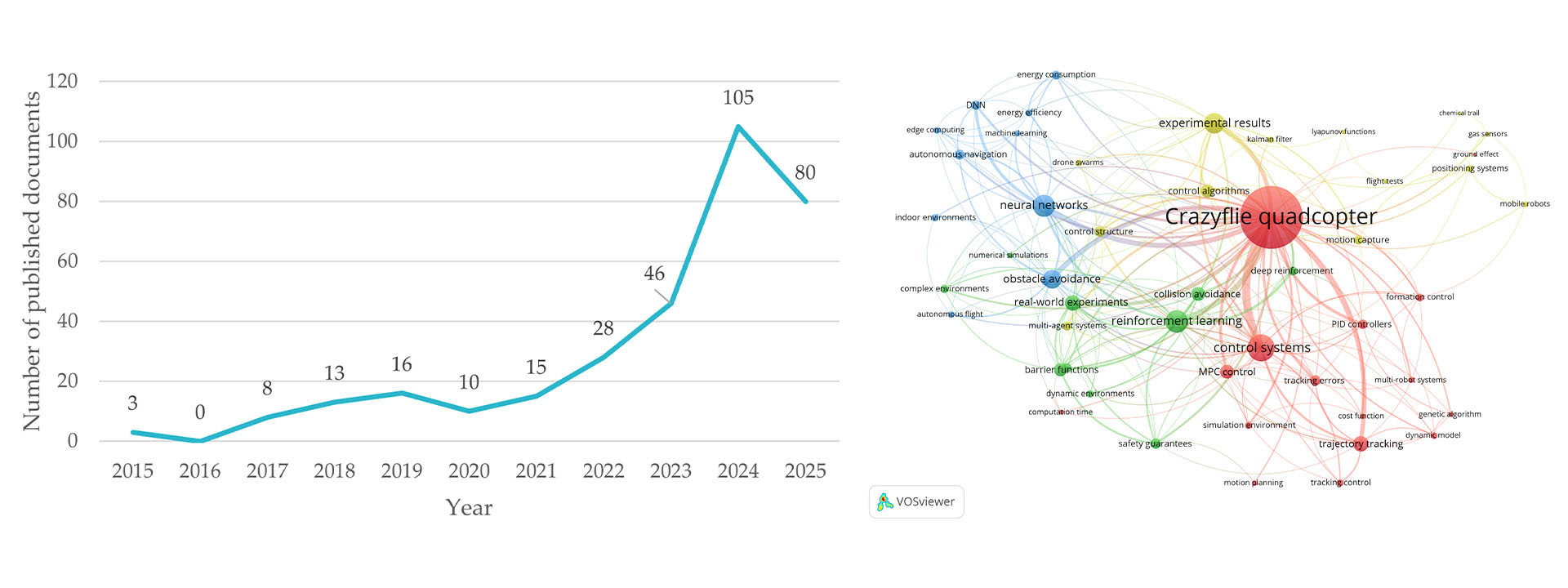
We built a small drone for people who want to understand how things fly. The community took it considerably further than that. The citations keep arriving from directions we didn’t anticipate. Spacecraft dynamics. Tactile human-swarm interaction. Onboard deep learning. Mapping algorithms that fit inside a nano-drone’s compute budget. The platform’s combination of openness, known dynamics, repeatable behavior, and low replacement cost turns out to be useful for a wider set of problems than any single team could have imagined building for.
What follows is by no means a comprehensive survey, but rather a selection of research areas where the Crazyflie has found a home, each illustrated with recent work. We find it genuinely interesting that the same hardware can be useful across this range, and we hope it gives other researchers a sense of what is possible.
1. Decentralized Multi-Agent Coordination and Swarm Control
Multi-agent coordination is probably the research area most closely associated with the Crazyflie, and for good reason. The platform’s light weight, predictable dynamics, and relatively low cost per unit make it practical to run experiments with enough agents to observe emergent swarm behavior, rather than just simulating it. A lab can field a meaningful swarm without the capital outlay that larger platforms would require.
Recent work has pushed this in some interesting directions. Decentralized approaches, where each agent makes decisions based on local information rather than a central planner, are particularly well-served by a platform where individual failures don’t cascade into catastrophic system loss. Research on collision avoidance, formation control, and consensus algorithms benefits from hardware that can absorb the crashes that inevitably happen when you are testing novel coordination strategies.
The ROS 2 ecosystem around the Crazyflie has matured considerably, with frameworks like Crazyswarm2 enabling standardized multi-drone experiments that other labs can replicate. The reproducibility this enables is meaningful: a coordination result demonstrated on Crazyflies in one lab is demonstrable in another (see “CrazyChoir: Flying Swarms of Crazyflie Quadrotors in ROS 2” (arXiv)).
2. Onboard AI and Edge Inference at Nano Scale
What can you fit inside a couple of dozen grams grams and still have compute left over for intelligence? Quite a lot, it turns out, especially when researchers are motivated to find out. The AI Deck, which adds a GAP8 system-on-chip with a camera and Wi-Fi, opened a wave of work on fully onboard perception and inference pipelines on nano-UAVs.
More recently, work using custom expansion decks with the GAP9 processor has enabled onboard SLAM and scan-matching at take-off weights around 46 grams, showing that the platform’s expansion architecture makes it a meaningful target even as compute capabilities grow. See “Ultra-Lightweight Collaborative Mapping for Robot Swarms” (arXiv).
The Crazyflie’s transparent hardware design is important here: researchers can build custom decks, verify the power budget, and integrate new silicon without waiting for a vendor to offer an approved configuration.
3. Spacecraft and Orbital Dynamics Simulation
Researchers at the University of Houston, in collaboration with the US Air Force Research Laboratory, used Crazyflie drones to simulate the relative motion dynamics of spacecraft in formation, specifically the Clohessy-Wiltshire equations that describe how objects move relative to each other in near-circular orbit.
The reasoning is practical: testing spacecraft autonomy on-orbit is expensive and high-risk. Ground-based testbeds using air bearings exist, but are complex and space-intensive. A small fleet of Crazyflies, running scaled versions of orbital trajectories in an indoor lab, offers a much cheaper and more accessible way to validate formation-flying control laws and neural network guidance systems before committing to hardware that will be launched into space.
4. Reinforcement Learning: From Simulation to Real Hardware
Reinforcement learning (RL) for drone control has been a thriving research area for years, but the gap between simulation and physical hardware remains a hard problem to close. The Crazyflie’s well-documented dynamics, consistent manufacturing, and open firmware have made it a preferred target for sim-to-real transfer research, because the sim and the real thing can be brought into close agreement.
Work in this space spans a wide range of problem settings. Multi-agent RL for collision-free navigation, safe RL with control barrier functions, landing on moving targets, and agile trajectory following in cluttered environments have all been demonstrated on Crazyflie hardware. A common thread is that the platform’s low inertia and predictable response make it a fair test: there is nowhere to hide on a platform this light and responsive, and if the policy is sloppy, it falls (see “AttentionSwarm: Reinforcement Learning with Attention Control Barier Function for Crazyflie Drones in Dynamic Environments” (arXiv).
The “LEARN framework”, which claims to run a compact attention-based RL policy on six Crazyflies for multi-robot navigation through 0.2-meter gaps at 2 m/s, is a recent example of how far this line of work has come. The system runs fully onboard, using only time-of-flight sensors, and transfers directly from simulation to real hardware without fine-tuning. See “LEARN: Learning End-to-End Aerial Resource-Constrained Multi-Robot Navigation” (arXiv).
5. Human-Swarm Interaction and Expressive Robotics
An unexpected corner of the research community is the one that adopted the Crazyflie to the human-robot interaction field. It turns out that a swarm of small, quiet, slow-moving drones is a better vehicle for studying how humans interpret and respond to group robot behavior than many ground robot alternatives.
Work in this space ranges from the technical to the almost philosophical. Researchers have studied whether humans perceive swarm motion as intentional and communicative; whether vibrotactile feedback can give operators an intuitive sense of swarm state during physical interaction; how flight formation shapes emotional perception; and how to design impedance-controlled swarms that respond naturally to human touch (see “SwarmTouch: Tactile Interaction of Human with Impedance Controlled Swarm of Nano-Quadrotors” (arXiv).
The Crazyflie’s low injury risk in the event of a collision, its predictable behavior, and its ability to carry sensing and communication payloads make it well-suited to user studies where physical proximity and spontaneous human response are important variables. The fact that the platform is widely available also matters: HRI research benefits from results that can be reproduced in different lab environments with different participant populations.
Looking across these five areas, a pattern emerges. In each case, the research is not about the Crazyflie itself. The platform is a means, not an end.
What the Crazyflie provides is a credible physical substrate that researchers can trust to behave consistently, modify freely, and replace cheaply when something goes wrong. The open source firmware means the dynamics are fully inspectable. The transparent hardware means the platform can be extended with custom decks. The stable software ecosystem means results from one year’s experiments can be compared against another year’s, and against results from other labs using the same platform.
If your research uses the Crazyflie in a direction not represented here, we’d like to hear about it. The research portal at bitcraze.io/portals/research lists some of what we know about, but the community is larger and more inventive than any curated list can capture.
AI coding agents have become increasingly useful lately. The main reason, as far as I can understand, is that agents like Claude Code can close the loop: they can produce code, test it, and iterate. This is critical because models will make mistakes, and the feedback loop allows them to iteratively correct problems and usually converge on a working solution.
When trying to use coding agents with embedded systems, I quickly found myself becoming a manual tester, copy-pasting logs and describing behavior back to the agent. I was the one closing the loop, which is both inefficient and frustrating. So I started looking for ways to improve that.
Control by CLI
One of the great strengths of coding agents is that they can close the loop through the command line. They can invoke CLI tools, and by assembling them together they can achieve far more than any single tool would allow, this is essentially the Unix philosophy applied to AI-assisted development.
The most effective way to extend an agent’s capabilities that I’ve found so far is to build dedicated command line tools and let the agent use them. I ran a couple of experiments with dev boards where I had the agent create a small Python tool to control the board. The minimum useful functionality was: flash firmware, observe the console output, and reset the board. With just those three capabilities, the agent gains the ability to iterate almost entirely on its own.
The crazyflie-agent-cli
This is where the idea came from for creating such a tool for the Crazyflie. I chose to write it in Rust, partly to exercise our newly developed Crazyflie Rust library.
The capabilities I gave it are:
Flash the Crazyflie using the bootloader
Reset the Crazyflie into bootloader or firmware mode
Console, stream the debug text output from the firmware
Parameters, read and write parameter values
Log variables, stream the value of log variables
This is roughly the minimum viable feature set for Crazyflie firmware development. Since AI coding agents already know how to write C code and compile projects, this is, in theory, enough to close the loop and let an agent implement new functionality, flash it, observe the behavior, find a bug, and iterate, just like in a normal development workflow.
Designing a CLI for agents, not humans
One design challenge worth mentioning: the Crazyflie communication model is inherently stateful. As a human, you would open an interactive client, connect to the drone, and then poke around, reading parameters, watching log variables, tweaking things live. That interactive, session-based workflow doesn’t translate well to agents, which can’t use interactive CLIs. Instead, the crazyflie-agent-cli uses a daemon/client architecture: the agent first launches a background daemon that establishes the radio connection, then uses separate one-shot commands to interact with the already-connected Crazyflie. It’s not the most ergonomic design for humans, you end up needing two terminals, but it turns out to work surprisingly well for an agent, which has no trouble managing background processes and firing off commands independently.
Putting it all together
The CLI gives the agent the capability to interact with the Crazyflie, but it also needs to know how to use it. We could tell the agent at the start of every session “here is a tool you can use,” and it would figure things out by calling --help. But a much more efficient approach is to use skills.
Alongside the CLI, I created a skill that teaches the agent how to use the tool for Crazyflie firmware development: what the workflow looks like, how to flash, how to debug. This is what truly closes the loop, once the skill is in place, the agent knows what a Crazyflie is, how to flash it, and how to debug it, without needing much guidance.
The end result: Claude Code can implement simple firmware functionality largely in one shot, and even when it doesn’t get it right the first time, it will iterate and generally get there.
Here is an example prompt that works end-to-end:
I have a Crazyflie on channel 80, 2M, default address. Add a log variable that exposes
the free heap size so I can monitor it over time. Build, flash, and verify the new
variable appears in the log list.Code language:PHP(php)
After a little while, the Crazyflie has been flashed, functionality has been verified and result looks something like:
Conclusion
This tool is not an official Bitcraze product, it’s a Fun Friday project. But we think it’s a nice demonstration of what is becoming possible with AI coding agents. By closing the loop, we can start to accelerate firmware development the same way AI has already accelerated other kinds of software development. That said, this is a force multiplier, not a replacement for engineering judgment. The human still needs to be in the loop.
For instance, I believe this CLI is already capable enough to let an agent bring up a new deck with a new sensor, exactly the kind of scoped, iterative task where the available functionality is sufficient. The tool could certainly be improved with more features, and we’ll see how much that happens. But we expect it will likely find its way into some of our day-to-day Crazyflie work at Bitcraze.
For the time being, treat it as an experiment and an example, not a finished product. The code is on GitHub at ataffanel/crazyflie-agent-cli if you want to try it out.
At Bitcraze, we spend a lot of time making things fly. Even though flying robots are, and will always be, fascinating to watch , every now and then it’s refreshing to try something different. Last Friday, I started exploring an idea that has been lying around for a while now: having a ground robot with the same Crazyflie infrastructure – the radio communication, the deck ecosystem and the cfclient connection. This robot is also known as the Crazyrat.
Fair warning: this is a first prototype, and it definitely looks like one. Jumper wires going in every direction, plastic foam and rubber bands to keep everything in place. But it drives, and it drives fast! That’s enough to call it a success and write about it.
Hardware
The entire vehicle was built around the Crazyflie Bolt 1.1, using its motor connectors, and specifically the S pins to drive a small H-bridge motor driver, enabling proper bidirectional DC motor control. To make it possible to drive the H-bridge, the motors must be configured as brushed.
For the motor driver, I used a Pololu DRV8833 Dual Motor Driver Carrier. I experimented with two different motor sets: one with a 75:1 gear ratio and one with 15:1. Even though the 75:1 motors offered better precision and were easier to drive, the 15:1 setup was the clear winner due to their speed.
The motors, the chassis and the power supply were taken from a Pololu 3pi+ robot.
Firmware
For the firmware, I used the Out-Of-Tree functionality of the crazyflie-firmware which makes it easy to integrate custom controllers. The controller itself is relatively simple. It maps pitch and yaw commands sent from the cfclient to throttle and steering respectively. Then, it sends the calculated values directly to the motors as PWM signals.
To test the prototype, I used a gamepad and drove it through the cfclient – no modifications are required. Here’s a video showing the capabilities of the Crazyrat using the 15:1 motor setup.
What’s Next
This project was a really fun learning experience on the potential and the limitations of the ground robots. These are some of the directions I plan to explore in the future:
Robust design – Design a proper chassis, clean up the wiring and make the whole vehicle smaller, to fit better in the Crazyflie ecosystem.
Deck integration – Use either the Lighthouse or the LPS deck for positioning and the Multi-Ranger deck for obstacle detection.
Experiment – Explore heterogeneous multi-agent swarming scenarios with the Crazyrat and the Crazyflie.
Guest post by Dominik Grzelak, Dresden University of Technology, Germany
In my initial post about XR-PALS, I introduced a tool on reducing setup time for the Loco Positioning System (LPS). Over time, one very practical aspect remained: handling and mounting the LPS nodes themselves.
In this post, I would like to share a 3D-printable enclosure and mounting system for LPS nodes that emerged from daily use and was developed hand-in-hand with a technical designer friend. The goal was to make LPS nodes faster to deploy, and more robust in general; they have already withstood drops from heights of up to 2 m.
Place the back part as shown in the figure to print without supports. Rotate the front part by 180° relative to the figure to print without supports. The adapter should be printed standing upright.
Below are a few notes to get you started building the case:
Place the LPS node into the back part of the case.
Install the toggle switch and ensure correct orientation.
Connect and solder the USB power cable wires.
Lay down the USB cable on top of the designated notch in the back part (tie a small knot to release the tension).
Attach the front part and secure it with screws.
Use the adapter (“slider”) to mount the case on a tripod or pole (with cable ties, for example).
Make sure the red and black cables are wired correctly.
The USB power bank itself serves as the power indicatorfor the LPS node.
Evolution of the Case
The design itself went through several iterations with adjustments.
In parallel, multiple design variations were explored to evaluate different approaches to mounting, cable routing, and overall form factor. Attention was paid to ensuring the parts print cleanly on common 3D printers without supports.
This process helped smooth out small usability issues and resulted in a design that is both easy to print and straightforward to use in practice.
Vertical and Horizontal Mount Adapter
While the standard configuration mounts the enclosure vertically, a horizontal holder adapter has now been introduced. This provides additional flexibility depending on the experimental setup.
A short demonstration of the mounting system can be viewed here.
Conclusion
This enclosure and mounting system grew out of repeated practical use in changing indoor environments, and we hope it will be useful to others as well.
Feedback and ideas are always welcome. And by the way, if you print your own version, feel free to share photos of your setup!
Booth #90 is running. Here’s what we’re showing and why we think it’s relevant to the conversations happening at the European Robotics Forum this week.
A Decentralized Brushless Swarm
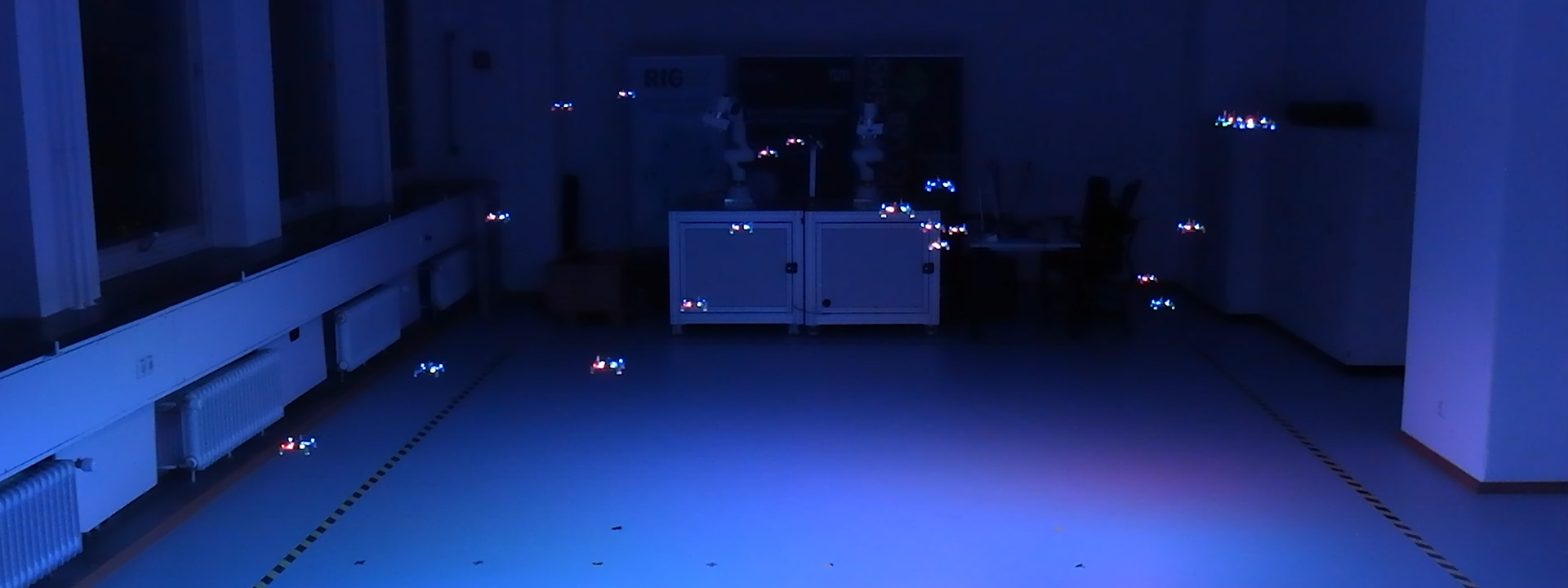
The centerpiece is an evolution of the Decentralized Brushless Swarm demo we published last year. Multiple Crazyflie 2.1 Brushless drones share a volume with no central trajectory planner. Each agent handles its own state estimation, neighbor awareness, and collision avoidance independently. The swarm is fault-tolerant by design: individual failures don’t cascade.
What makes this relevant as a testbed is not the flight itself, but what it lets you study. Decentralized coordination, emergent behavior, and the gap between simulated and physical multi-agent dynamics are all things you can actually probe here, at a scale and cost that makes iteration realistic.
The Swarming Interface
We’re showing a new interface for the first time at ERF. It surfaces per-agent state in real time: position, velocity, battery, role, giving you visibility into what the swarm is doing and why, not just the flight envelope. We’ll write up the technical details separately, but if you want to see it running, the booth is the right place.
A Touch of Magic!
We have built a magic wand. It is a Lighthouse-based device that lets you grab a drone, or a group of them, and steer with your hand. It started as a side project and ended up being a surprisingly good way to demonstrate how the positioning system responds to real-time input. Worth a look if you’re nearby.
Come Find Us
We’re at booth #90 through Thursday March 27. The conversations we’re most interested in are about research infrastructure: how teams design testbeds, what the handoff from simulation to hardware looks like in practice, and where small-scale indoor platforms fit into larger development pipelines.
This week we wanted to reflect on the progress that has been made lately in the Crazyflie ecosystem which will lead to bigger and better Crazyflie Swarms.
Radio communication
Like pointed out in the last blog post about Building a Crazyflie Flower Swarm with Rust, the new Rust Crazyflie library together with the new Crazyradio 2.0 has improved connection time and link efficiency by quite a bit.
It is now possible to connect swarms of multiple dozens of Crazyflies in seconds using a single radio and then make them fly while still getting position telemetry. So many Crazyflie on one radio does limit the maximum bandwidth per Crazyflie, but it does now work in a stable way!
Color LED deck
The recently released Color LED deck is a great addition to the ecosystem towards swarm. Its predecessor, the Led-ring Deck, has been used a lot by researchers to indicate state of individual Crazyflies in a Swarm. The Color LED Deck improves on that by providing a diffuser that allows to see the color from the side. This allows to mark states of big groups of Crazyflie much more clearly.
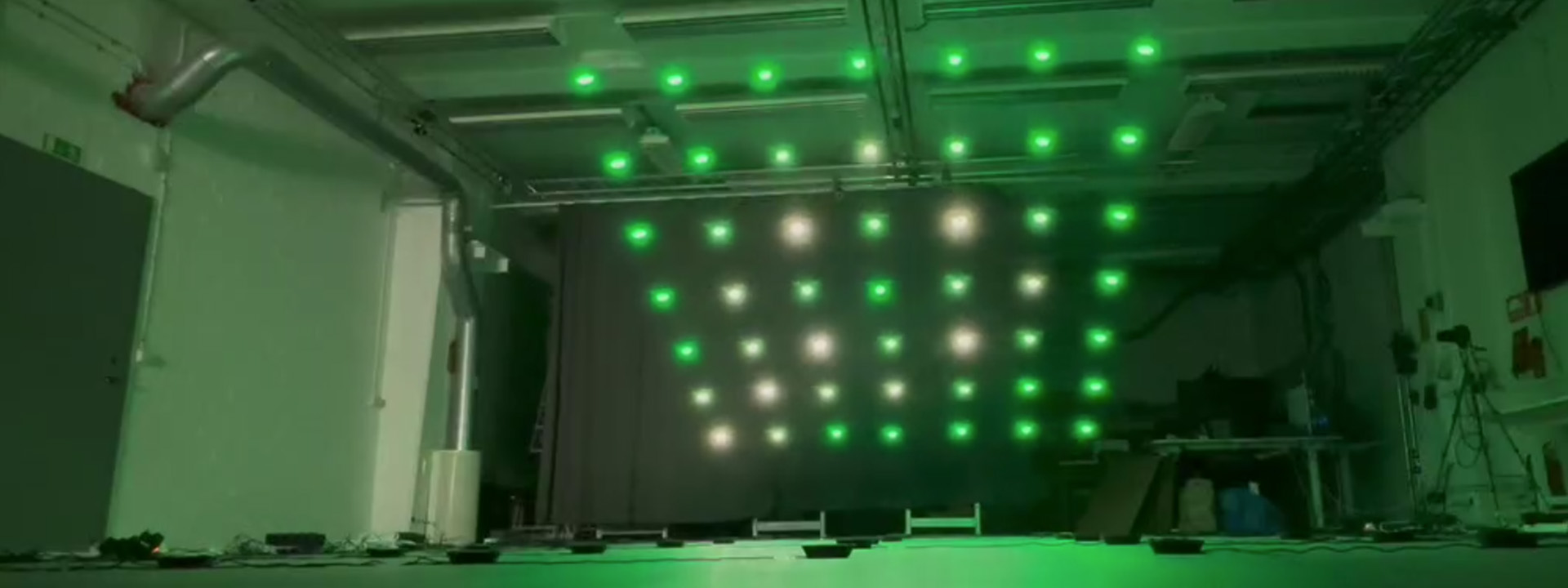
As a bonus, the Color LED Deck is very usable in other field like art and shows since it is much more visible and can be used to fly Crazyflies as “Flying Pixels”.
Autonomous landing and charging
Last year, we have released a Crazyflie 2.1 Brushless charging dock. This is a produced version of an idea we have been using with Crazyflie 2.1 and the Qi deck for years at fairs and conferences. It allows Crazyflies to autonomously land and charge. It is not only great for autonomous drone demos and shows but it also is a great waiting spots for swarms when doing research: the charging dock keeps the swarm charged so that when it is time to take off all the individuals starts with the same battery level.
Future endeavors
On the radio side there are still areas that would bring great improvement on communication stability. We are for example working on a channel-hopping communication protocol that should make the connection mostly immune to regular interference on 2.4GHz.
We are also working at improving other parts of swarm management, this includes for example solving the problem of flashing a full swarm of Crazyflie with the same firmware: we may be able to use broadcast messages more in order to drastically speed up the process instead of flashing the Crazyflie one per one.
Overall, working on bigger swarms allows us to work on the full stack and to make the Crazyflie a better drone for everybody.
With spring just around the corner, we thought it was the perfect excuse to make our Crazyflies bloom. The result is a small swarm demo where each drone flies a 3D flower trajectory, all coordinated from a single Crazyradio 2.0. This blog post walks through how it works and highlights two things that made it possible: the new Color LED deck and the Crazyflie Rust library.
The Color LED deck
There are two Color LED decks for the Crazyflie – one mounted on top and one on the bottom – each with its own individually controllable LED via the standard parameter interface. In this demo we use the one mounted on the bottom to give color to the flowers, along with the Lighthouse deck for accurate positioning in space.
The deck opens up a lot of creative possibilities for swarm demos as well as clear visual feedback about what each drone is doing.
Fast swarm connections with the Crazyflie Rust library
Getting five drones connected quickly on a single Crazyradio used to be a real bottleneck. The Crazyflie Rust library introduces a lazy-loading parameter system. Parameter values are not downloaded at connect time; instead, they are fetched only if the API user explicitly accesses them.
Additionally, caching the TOC (Table of Contents) makes it trivial to persist it locally and reuse it on every subsequent connection. In practice this means that after connecting to each drone once, all future connections are nearly instantaneous. The cache is keyed by the TOC’s CRC32 checksum, so it automatically stays valid as long as the firmware doesn’t change, and it’s identical between drones with the same checksum.
The library also uses Tokio’s async runtime, which means all Crazyflie connections start at the same time without waiting for each other. Combined with generally higher communication performance in the Rust implementation, these features significantly reduce the startup overhead, making the swarm feel reliable and responsive, which would require much more effort with the current Python library.
Generating the trajectories
The flower shapes are generated in Python using this script. It produces two .json files per drone (one stem{n} and one petals{n}) containing all the waypoints to fly through. The trajectories are then uploaded to the drone as compressed poly4d segments, a compact format that the Crazyflie’s onboard high-level commander can execute autonomously. Both trajectories are expressed relative to each drone’s initial position, so the formation geometry is entirely determined by where you place the drones on the ground before takeoff.
Putting them all together
The flight sequence is pretty straightforward:
1. Build the trajectories as waypoints on the host.
2. Connect to all drones simultaneously.
3. Upload each drone’s compressed trajectories in parallel.
4. Fly the trajectories while switching the LED colors.
Everything after the connection is driven by Tokio’s join_all, so the swarm stays in sync without any explicit synchronization logic – the drones are just given the same commands at the same time.
The full source code is available at this repository (Python for trajectory generation, Rust for flying).
We’re excited about where the Rust library is heading. It’s improving the communication with the Crazyflie and allows us to increase dramatically the number of Crazyflies per Crazyradio, leading to bigger and more reliable swarms. If you build something cool with it, let us know!
Bitcraze will exhibit at the European Robotics Forum 2026 March 23-27 in booth #90, where we will demonstrate a live, autonomous indoor flight setup based on the CrazyflieTM platform. The demonstration features multiple nano-drones flying autonomously in a controlled environment and reflects how the platform is used in research and applied robotics development.
Why Indoor Aaerial Testbeds Matter
The purpose of the demonstration is not the flight itself, but the role such setups play in validating aerial robotics concepts. Indoor, small-scale aerial systems allow researchers and R&D teams to study autonomy, perception, control, and multi-robot coordination under safe and repeatable conditions. This makes it possible to explore system behavior, test assumptions, and iterate rapidly before moving to larger platforms or less controlled environments.
Applicable in Both Academia and Industrial R&D
Bitcraze is used both in academic research and in industrial R&D contexts. In academia, the platform supports experimental work in areas such as swarm robotics, learning-based control, and human–robot interaction, and has been referenced in hundreds of peer-reviewed research papers worldwide. In industry, similar setups are increasingly used as testbeds to de-risk development by validating ideas indoors before scaling to outdoor testing, larger drones, or other robotic systems that require higher investment and operational complexity.
Hands-on Discussions at the Booth
At the booth, the live flight cage will be complemented by hands-on access to additional drones, expansion decks, and software tools. This allows for technical discussions around hardware architecture, sensing and positioning options, software stacks, and how different configurations support different research or development goals.
The Conversations We Are at ERF to Have
At ERF, Bitcraze is there to engage in conversations about platforms, testbeds, and how ambitious aerial robotics ideas can be validated in a financially responsible, safe, and controlled manner. This includes discussions with academic groups, industrial R&D teams, and project partners working across the research-to-application spectrum.
Looking forward to the discussions in Stavanger in booth #90!